Team Roles, Production Board & Document Editor
A growing apparel business is more than one person — sales, designers, developers and the factory floor all need Konfiwear, but not all of them need the same things.
Since our last release we shipped team roles and permissions, a rebuilt production module, and a document editor for your quote PDFs and tech packs. Alongside them: sharper customizer controls, faster KonfiNest nesting, and better integrations.
Team Roles & Permissions
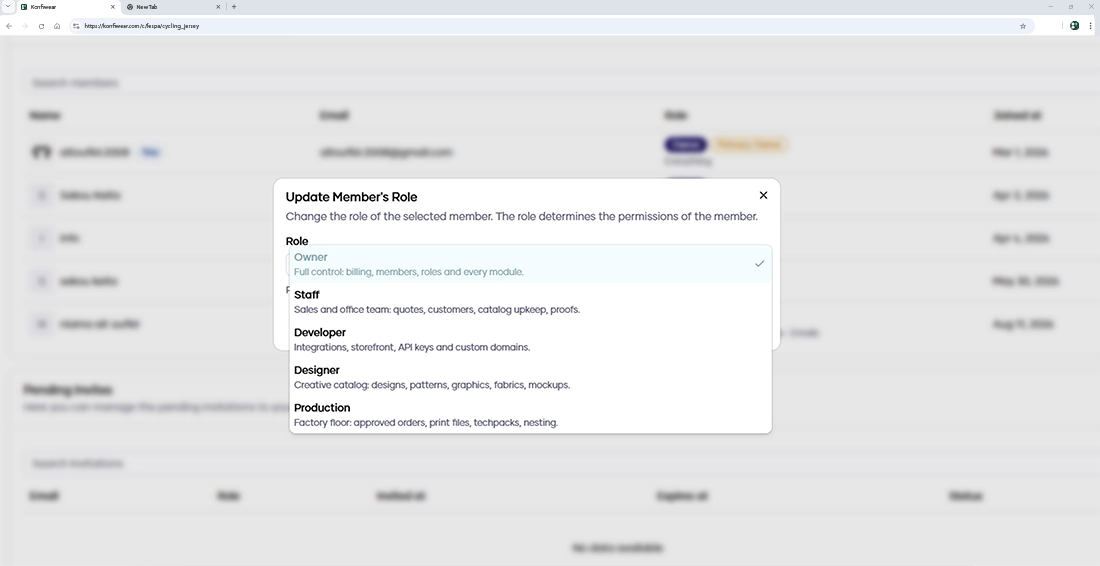
Every member now gets a role that matches their job:
- Owner — full control of billing, members, roles and every module
- Staff — sales and office work: quotes, customers, catalog upkeep, proofs
- Developer — integrations, storefront, API keys and custom domains
- Designer — designs, patterns, graphics, fabrics and mockups
- Production — the factory floor: approved orders, print files, tech packs and nesting
What changes in practice:
- A workspace that fits the person — navigation, dashboard and settings only show the modules a role can use
- Clear read-only mode — members who can view but not edit see tables without edit actions, instead of broken screens
- Role descriptions when you invite — pick the right role with confidence
- Seats at a glance — see seats used against your plan limit on the members page
- Activity log — owners can see who was added, who changed role and who was removed
- Roles matrix — a read-only overview of every role and module under Settings → Roles
Your pricing and customer data now stay with the people who need them.
A Production Module Built for the Factory Floor
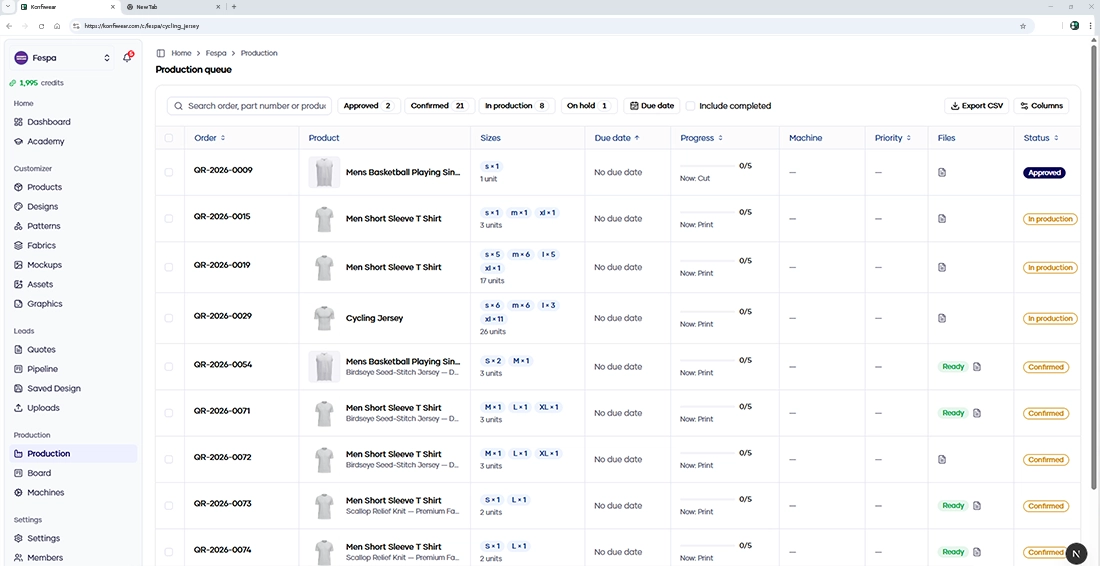
Production teams get their own space, with no access to prices or customer contact data:
- Production queue — filter, sort and export orders to CSV
- Floor board — see every order move through its steps at a glance
- Machines and routing — plan work across your machines and apply routing templates to each order
- Materials panel — know what each order needs before it starts
- Printable work order — one sheet per order, ready for the floor
- Status emails — moving an order to In production or Completed now sends the matching customer email
- Dashboard widget — production members land on their queue
Orders move from approval to completion without a spreadsheet in between.
Document Editor — Quote PDF & Tech Pack
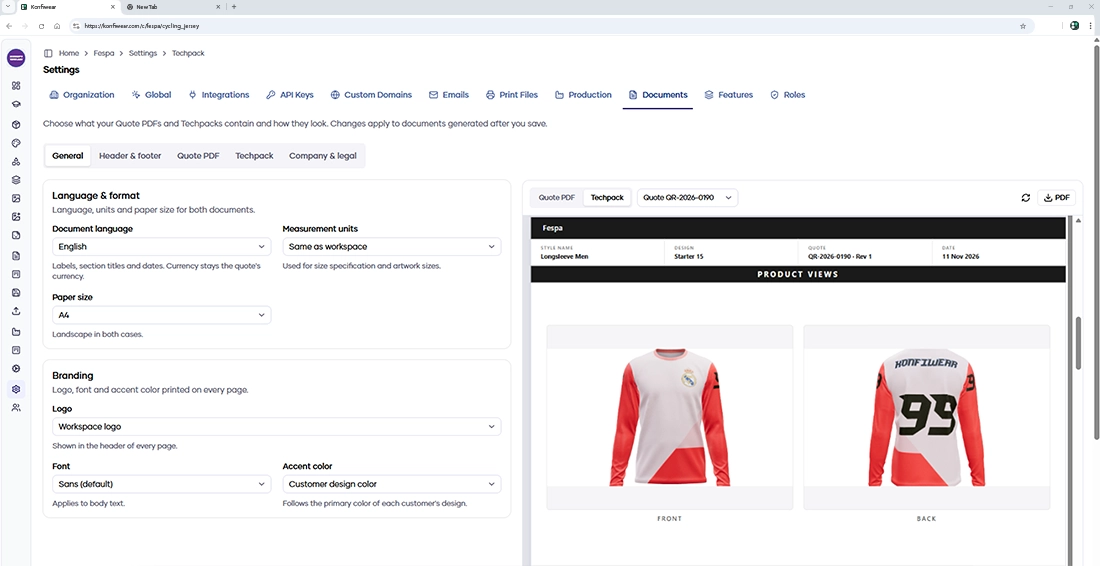
The old Techpack settings are now Settings → Documents, with far more control over what your clients and factory receive:
- Live preview — see your changes on the document as you edit
- Header, footer and cover — add an intro text and a "valid until" date to the cover
- Terms & conditions — validity, payment terms, terms text, company details, bank details and a closing note on quotes
- Production notes — care, quality and factory instructions on tech packs, never shown on quotes
- Sign-off blocks — signature lines for the customer, your company and the factory
- White-label footer — available on eligible plans
- Long text flows across pages — nothing gets clipped on the page
Bank details never appear on tech packs, and production notes never appear on quotes.
Sharper Customizer Controls
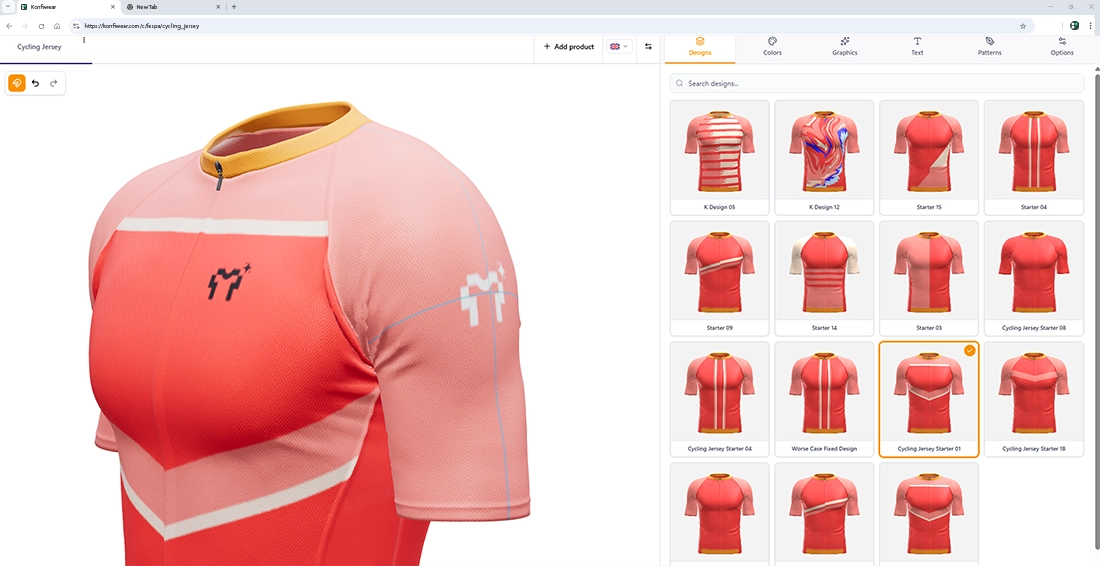
Designing on the 3D model and the 2D canvas feels more precise:
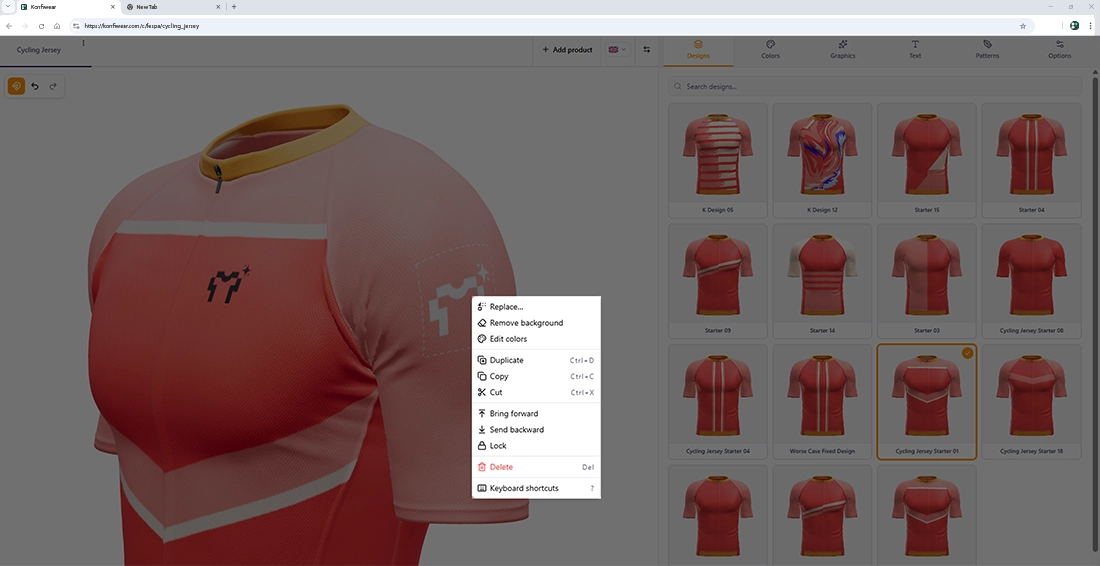
- Center guides and snapping — graphics snap to the center of a zone or panel, with a magnet toggle in the toolbar. Hold Alt (or Option) while dragging to move freely
- Keyboard shortcuts and nudging — move selected items with the keyboard
- Item context menu — right-click any item on the canvas for quick actions
- Design thumbnails in your palette — design cards recolor live with the shopper's chosen colors
- Compact pattern colors — per-fill colors appear as small swatch chips
- Better on mobile — the colors panel uses space more efficiently, and the product bar fits the screen
- One switch for prices — turning off Pricing Display in Features now hides every price in the customizer
KonfiNest & Print Files
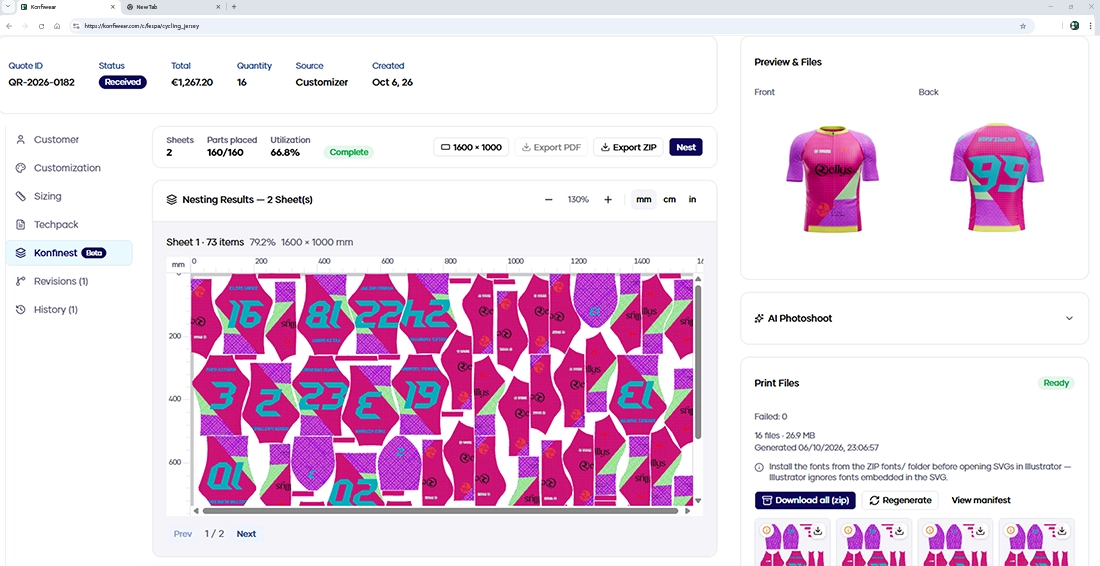
- Faster nesting — shorter quality presets and smarter early stopping deliver the same layouts in much less time
- No double charges — a new quote revision with identical print inputs reuses the existing print files and costs no credits
- "Nothing changed" prompt — regenerate anyway if you want to, but you will know first
- Print readiness checklist — see what a product still needs, such as measurements and a reference size, before files are generated
- Advisory badge — the Print Files card shows how many files carry advisories and opens them in one click
- Clearer waiting and failures — a friendlier loading view and error state for nesting
Integrations
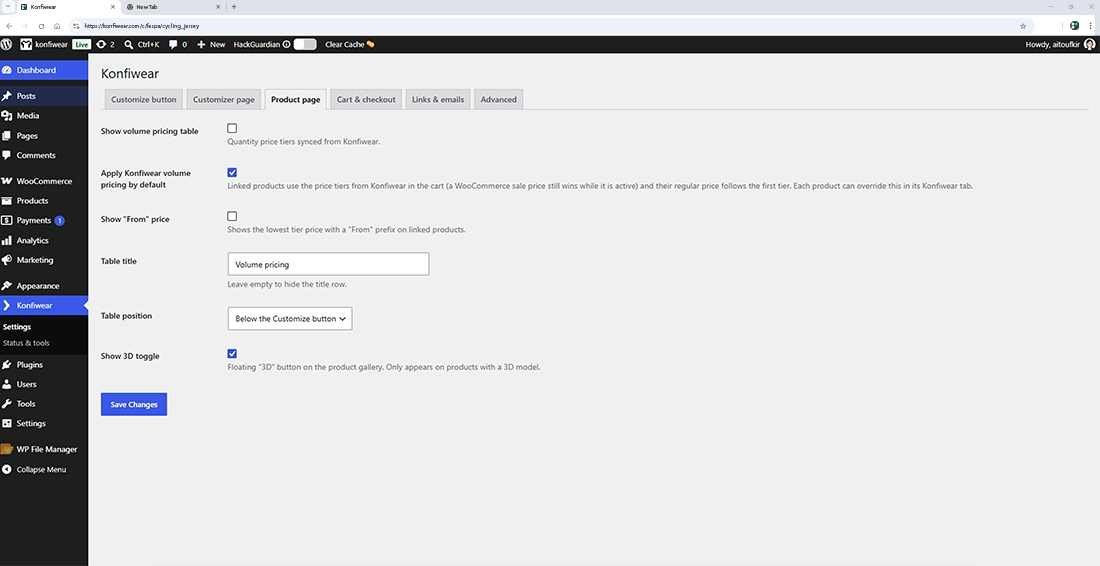
- WooCommerce plugin 2.1 — volume pricing managed in Konfiwear and mirrored in your store, a dashboard widget, studio lighting in the 3D viewer, and quote links that return customers to the right store page
- Adobe Illustrator plugin 2.0 — a new signed release of the plugin. Install version 2.0 from your dashboard, since older versions are no longer supported
- Complete tech packs for store orders — Shopify, WooCommerce and Wix orders now produce full tech packs with correct colors and customer notes
Catalog & Quotes, Made Easier
- Duplicate anything — copy products, designs, fabrics and patterns, one by one or in bulk
- Customer tab on quotes — customer details, address, notes, store order and part number in one place
- Global settings, reorganized — vertical tabs and a single floating Save/Cancel bar for all your changes
- Configurable save-design form — choose the fields shoppers fill in when saving a design
- Tag-matched designs — designs tagged for a product now appear reliably across matching products
Protected Mockup Share Links
Share links now do what the share dialog promises:
- Password and expiry — both are saved and enforced for every viewer
- Private by default — protected or expired links show no preview and stay out of search engines
- Safe approvals — an approval on an outdated version is refused instead of overwriting a newer decision
Help Center
Guides for the Customizer, Settings, Leads, Production and Dashboard, with annotated screenshots, now live in our help center. Blog and changelog pages also gained search and cleaner page links.
Security & Reliability
Ongoing audits made the platform more dependable:
- Tighter access checks — across public customizer actions, file links and workspace onboarding
- Safer quote emails — customer-written text can no longer alter your branded emails
- Edits that stick — updating a fabric, color or font no longer resets its price, status or order
- Large catalogs — design thumbnails generate reliably, even for accounts with thousands of designs
Get Started
- Roles — invite or change members under Members, and review the matrix in Settings → Roles
- Production — open the new Production section in your navigation, or assign the Production role to your floor team
- Documents — find the editor in Settings → Documents
- Canvas controls — open the customizer and try the snap toggle in the toolbar
- Share protection — set a password or expiry from any mockup's share dialog
- Illustrator plugin — download version 2.0 from your workspace settings
As always, we are one message away in the in-app support chat.