Where to find it
Customizer → Products → click a product → Pricing tab.
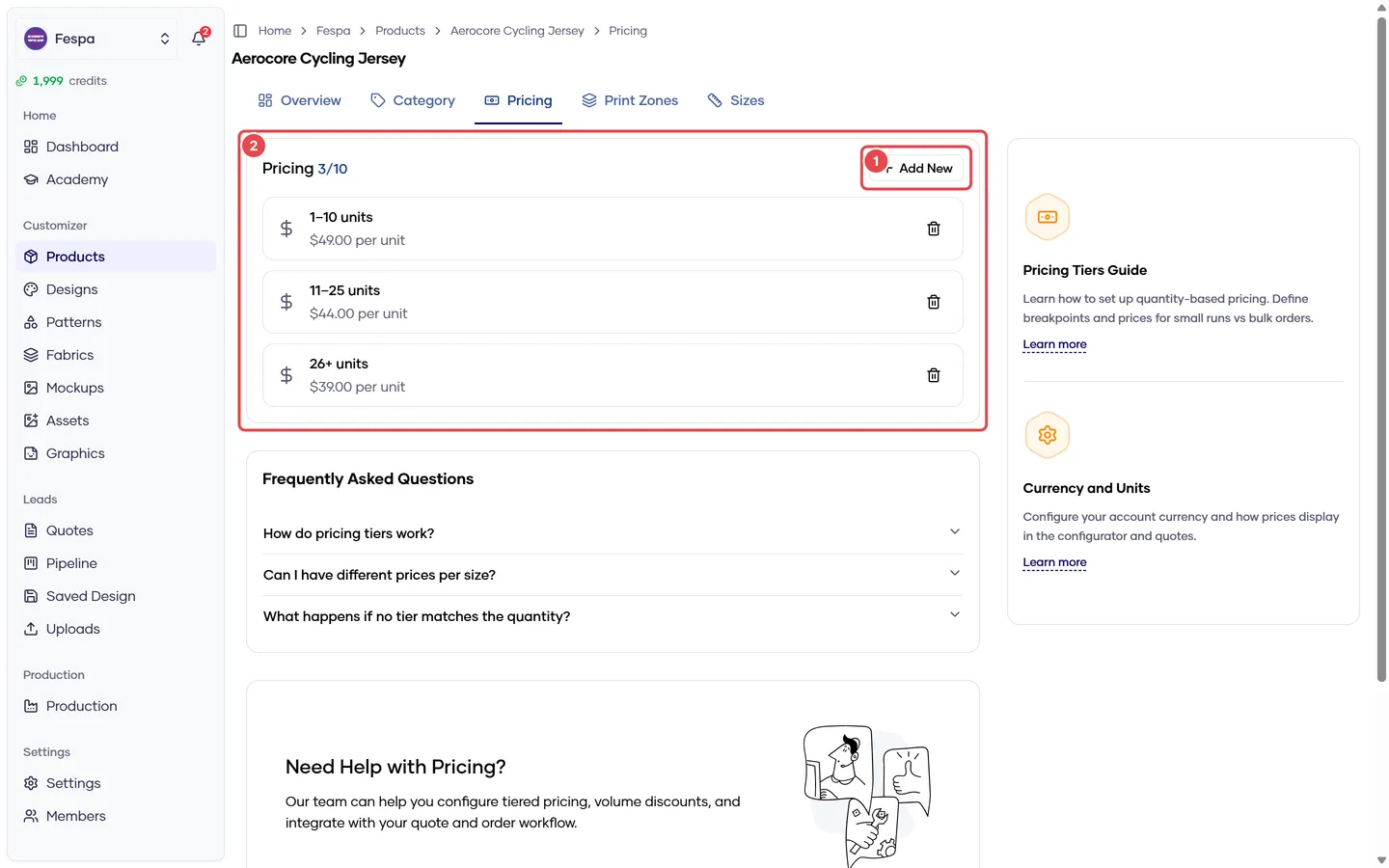
- Add tier
- Quantity tiers (min, max, price per unit)
What it does
Product pricing is a list of quantity tiers: from min to max pieces, the price per unit is X. The storefront shows the estimated price next to the call-to-action and stores the full breakdown on every quote.
The final unit price a customer sees is additive:
unit price = product tier price
           + design price        (Designs → Pricing)
           + fabric price        (Fabrics → Price)
           + Σ zone price        (each print zone that has content)
           + VAT                 (Settings → Global, if enabled)
Steps
- Open the Pricing tab and click Add tier.
- Enter Min quantity, Max quantity (leave empty for "and above") and Price per unit in your account currency.
- Repeat for each tier. Tiers must not overlap; the editor warns you if they do.
- Delete a tier with the trash icon. Changes save immediately.
Example:
| Min | Max | Price / unit |
|---|---|---|
| 5 | 14 | 69.00 |
| 15 | 24 | 66.00 |
| 25 | — | 60.00 |
Quantities below your first tier
If a customer requests fewer pieces than your lowest min, the storefront still accepts the quote but shows no price. Start your first tier at 1 if you want every quantity priced.
Field reference
| Field | Meaning |
|---|---|
| Min | First quantity this tier applies to (inclusive) |
| Max | Last quantity (inclusive); empty = unlimited |
| Price per unit | In the account currency set in Settings → Global |
Common questions
Where do I set the currency? Settings → Global. All products share one currency. See Currency.
Can I price per size (e.g. 2XL +3 €)? Not per size today. Workarounds: a separate product for extended sizes, or include the surcharge in the quote manually.
The storefront price differs from my tier. A design, fabric or print zone surcharge is being added, or VAT is on. Open the quote and read the Price breakdown — it lists every component.
Minimum order quantity? Set the first tier's min to your MOQ. Customers cannot request below it when the quote form validates quantities.