Fonts
Add Google, custom or system fonts for player names, numbers and free text.
Where to find it
Customizer → Assets → Fonts.
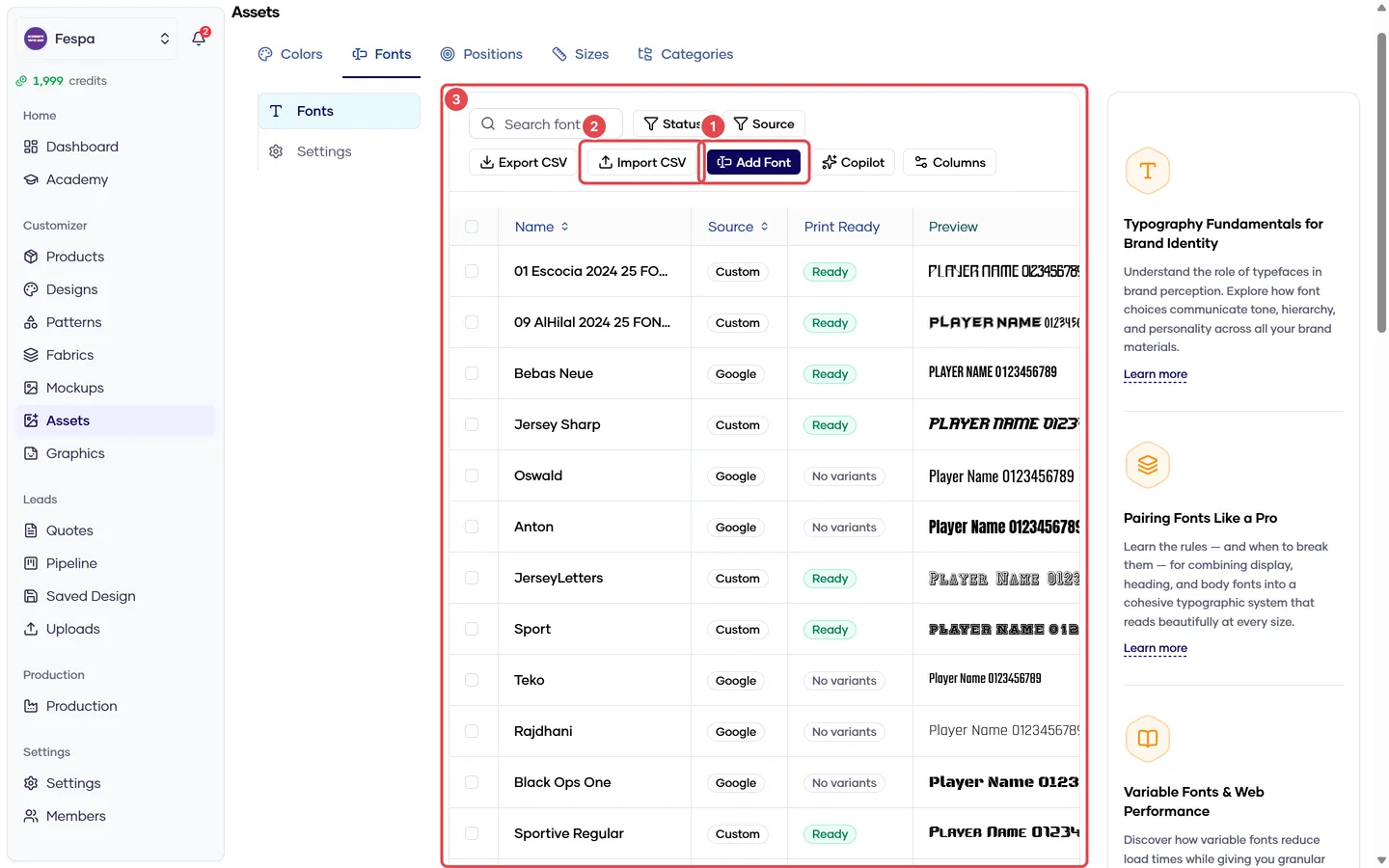
- Add font (Google, custom or system)
- Import CSV
- Fonts table with live preview
What it does
Fonts are offered to customers wherever they type text: text zones, link groups (name/number) and freeform text. Text zones can set a default font.
Steps
- Click Add font.
- Choose the Source:
- Google — type the Google Fonts family name (e.g.
Oswald). Loaded from Google at runtime; no file needed. - Custom — upload a
.woff2(preferred) or.ttf. You must hold a license allowing web embedding and print use. - System — a font assumed to exist on the viewer's device (Arial, Impact). Rendering varies by device; avoid for production text.
- Google — type the Google Fonts family name (e.g.
- Set Name (shown to customers), optional Preview text, and Enabled.
- Add variants (weights/styles) inline in the table if you need bold or italic.
Import many fonts at once with Import CSV; the modal previews what will be created.
Common questions
Names print differently from the screen. System fonts are substituted on the print server. Use Google or Custom fonts for anything that goes to production.
Where do I set the default font for jersey numbers? On the text zone or link group (Graphics → Zones / Link groups), field Default font.
Can I limit which fonts a zone offers? Not yet. All enabled fonts are offered on every text input.