Brand logos
Place up to five fixed, non-editable logos (your brand or a league mark) with automatic light/dark switching or customer-tintable color.
Where to find it
Customizer → Graphics → Brand logos.
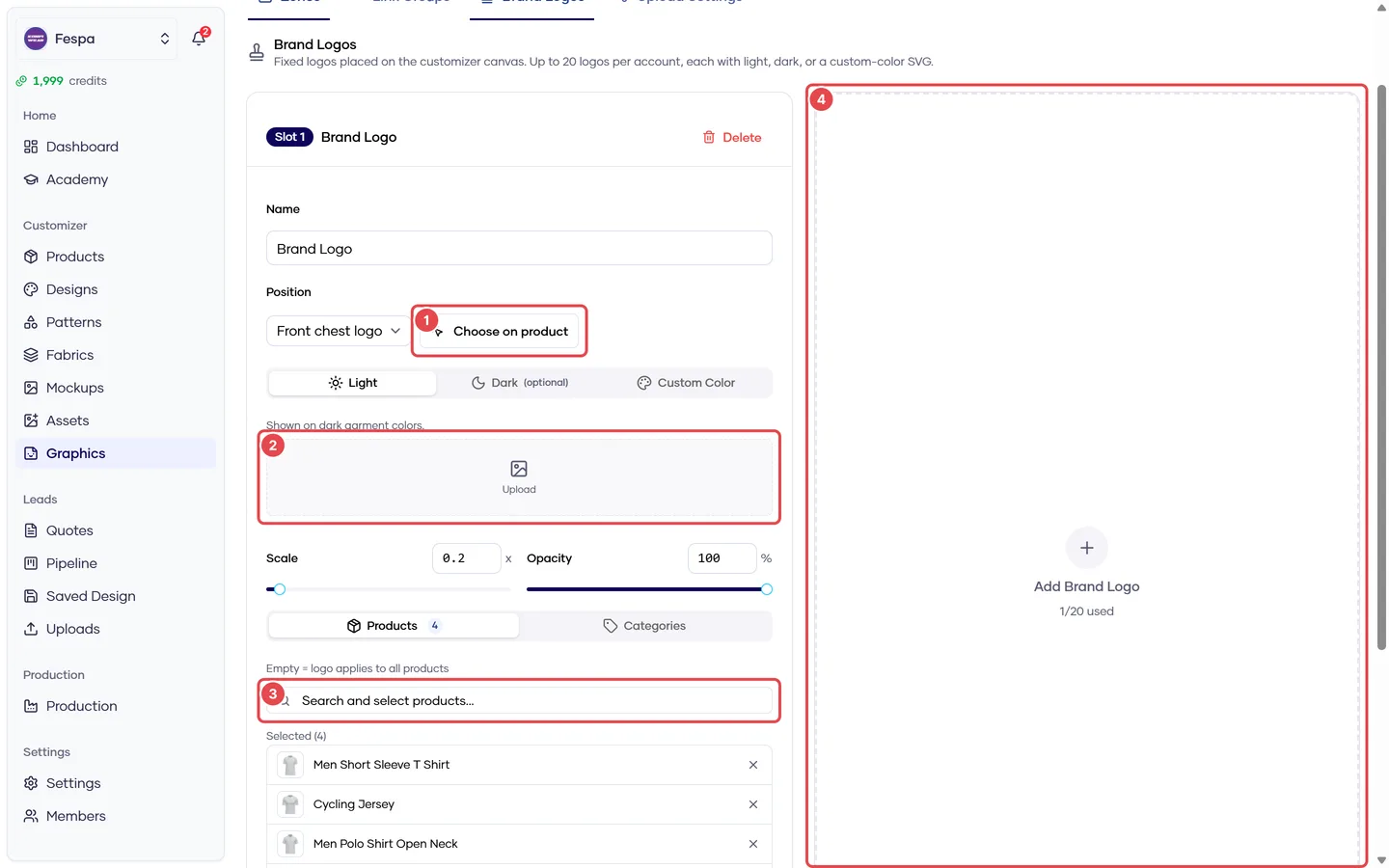
- Choose position on the 3D model
- Light / Dark / Custom colour uploads
- Product and category targeting
- Add another logo (up to 5 slots)
What it does
Brand logos are graphics you place on the garment that customers cannot move, resize or remove. They render on top of everything and are included in print files. Up to 5 slots per account.
Two color behaviours:
| Behaviour | Files | Result |
|---|---|---|
| Light / Dark | Light variant (+ optional dark) | The customizer picks the variant with enough contrast against the garment color behind it |
| Custom color | One SVG | Always shown; the customer may tint it from a Colors tab, limited to the colors you allow |
Steps
- Click Add logo — the lowest free slot opens as a card.
- Name and Position: pick a position of type Brand logo, or Choose on product and click the 3D model.
- Upload Light (PNG/SVG, for dark garments) and optionally Dark, or switch to Custom color and upload an SVG.
- Adjust Scale and Opacity.
- Targeting — leave empty to apply to all products, or pick products / categories.
- Allowed colors (custom color only) — leave empty for all colors.
- Active on, then Save.
Common questions
The logo is missing on one product. Either targeting excludes it, or the position's view side is not on that model. Check the card's product list.
Light/dark picks the wrong variant on a mid-tone. The switch uses luminance contrast with a fixed threshold. Use Custom color and lock the allowed colors if you need a fixed appearance.
Can customers remove the brand logo? No. That is the point of a brand logo. Use a graphic zone with a default graphic if customers should be able to replace it.