Link groups
One customer input rendered in several places — player number front and back, name on back and sleeve.
Where to find it
Customizer → Graphics → Link groups.
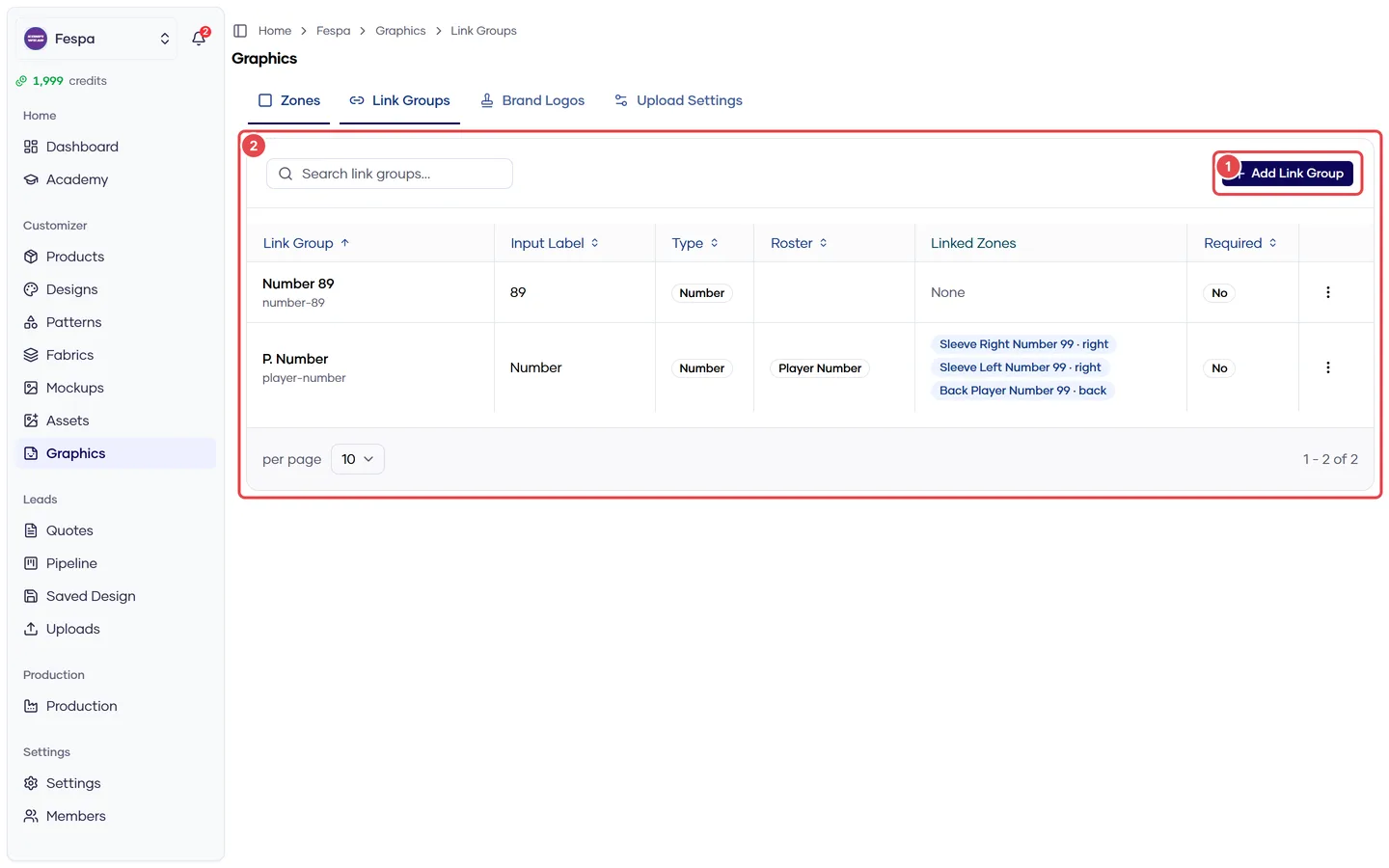
- New link group
- Link groups (input label, type, positions, products)
What it does
A link group is a single text input ("Number") whose value is rendered at every member position at once, each with its own font size and color override. Typical: number on front (small) and back (large); name on back and left sleeve.
Link groups are assigned to products (and optionally designs) and can carry a roster role so team rosters fill them automatically.
Steps
- Click New link group.
- Name (internal), Input label (what the customer sees — "Number"), Input type (text or number), Max length (2 for numbers), Required.
- Optionally set Default value, Default font and Default color, and a Roster role (Player name / Player number).
- Members — add one or more positions of type Text or Both. Per member you can override font size and color (back number larger than front).
- Assignment — pick the products and/or categories the group applies to. Design-level assignment is done from the design's Print Zones tab.
- Save.
One position, one group
A position can belong to only one link group. If a position is missing from the picker it is already used elsewhere or has the wrong content type.
Common questions
The front and back numbers are different sizes — is that a bug? No, that is the per-member font size override. Clear it to use the same size everywhere.
Can the customer position the number? No. Linked text is fixed at its positions. For movable text, use a text zone or freeform text.
Name and number on the same jersey. Create two link groups (one text with role Player name, one number with role Player number) and assign both.