Global settings
The storefront's call to action, Save-for-later links and emails, terms & conditions, and Mockup Studio sharing defaults.
Where to find it
Settings → Settings → Global. The page is long; use the sticky section list on the right to jump.
Call to action
Decides what the main button in the storefront does. Full detail in Storefront URL and embedding.
| Setting | Options |
|---|---|
| Mode | Quote (request a quote → Leads), Cart (add to a connected shop cart), Save / API (POST the design to your webhook) |
| Button label / size | Override the default label (max 80 chars); sm / md / lg |
| Placement | Panel footer (form inline), canvas footer or floating (form in a dialog), plus floating position |
| Show price summary | Live estimated price next to the button |
| Scroll to top | After submit |
| Secondary action | Save for later button, label and icon-only option |
| Terms & conditions | Checkbox with text and HTTPS link; required before submit |
| Webhook URL | Save / API mode only; Send test posts a sample design.saved.v3 payload |
| Session passthrough params | Save / API mode only; up to 5 query-param names echoed back to your webhook |
Cart mode needs a connected shop
With Cart and no connected Shopify / WooCommerce / Wix integration, the storefront button does nothing useful. The card shows an amber notice; connect a shop in Settings → Integrations first.
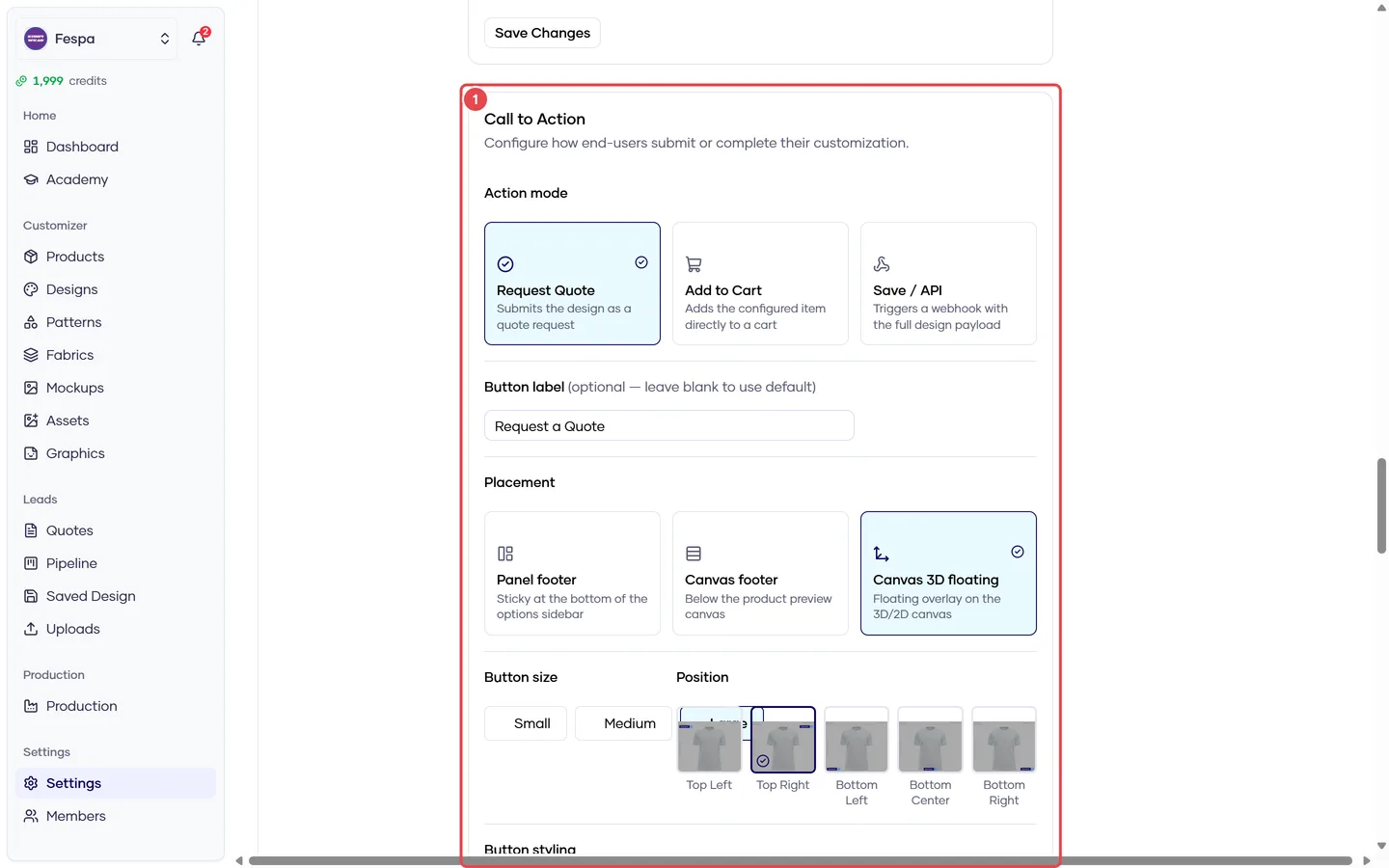
- Call to action: mode (Quote / Cart / Save API), placement, label, price summary, terms
Save for later
Customers can save a design and receive a resume link by email.
| Field | Default |
|---|---|
| Link expiry (days) | 30 (1–365) |
| Custom email subject / greeting | Default copy if blank |
| Sender name / reply-to | Defaults to the workspace name and your support address |
| Form configuration | Which fields the save form asks for |
Terms & conditions
Enable, write the label text and set the URL customers must accept before requesting a quote or saving.
Mockup settings
Defaults for Mockup Studio and public share links: approval buttons on the share page, comments, annotation pins, file uploads on comments, activity logs, default list view and the side the conversation panel sits on. See Share with clients.
Common questions
I changed the CTA but the storefront still shows the old button. Allow about a minute for the cache, then hard-refresh.
Can I have "Request quote" and "Add to cart" at the same time? No — one primary mode. Use Save for later as the secondary action, or two storefront embeds pointing at different accounts.