The chain, in one table
| Stage | Unit | Who sets it |
|---|---|---|
| Customizer canvas | 2048 × 2048 px texture sheet | Fixed |
| Print-file compose | Canvas fitted into a 60 × 60 cm square; pattern cut paths fitted into the same square, centred, never stretched | Fixed |
| Per-size scale | The size's measurements (width first, then height, then the first dimension on the panel) scale each panel to its real centimetres; the file's artboard grows to contain the cut | Products → Sizes tab → Measure |
| Zone artwork grade | Fixed cm keeps a logo the same printed size on S and 3XL; grade with garment scales it with the panel | Graphics → Zones |
| KonfiNest sheet | mm, your roll (default 1600 × 1000) | Operator, per job |
| DPI badge (storefront) | zone width / zone physical width (cm) if set, else 2048 px / 60 cm | Graphics → Zones → Physical dimensions |
Pattern SVG viewBoxes are geometry only; they never define centimetres. The Default print area card in Settings → Print documents the 60 cm reference; it does not resize files.
Why a logo printed at X cm
- The customer scaled it on screen: its canvas width ÷ 2048 × 60 cm is its size in the 60 cm fit space.
- The panel it sits on was then scaled by the size's measurement (e.g. chest width 54 cm for L).
- If the zone is fixed cm, the artwork scale was corrected back so it stays e.g. 8 cm on every size; otherwise it grew with the panel.
So: wrong size everywhere → check the size measurements; right on one size, wrong on others → check the zone's artwork grade; customer complains about blur → the DPI badge was amber/red at upload, ask for a vector.
Setting things up correctly
- On every product size, upload the pattern and add at least a width measurement on each panel (Products → Sizes → Measure).
- On every graphic zone, fill physical width/height in cm so the DPI badge is accurate, and choose the artwork grade deliberately.
- Regenerate print files after changing either — files keep the values they were generated with.
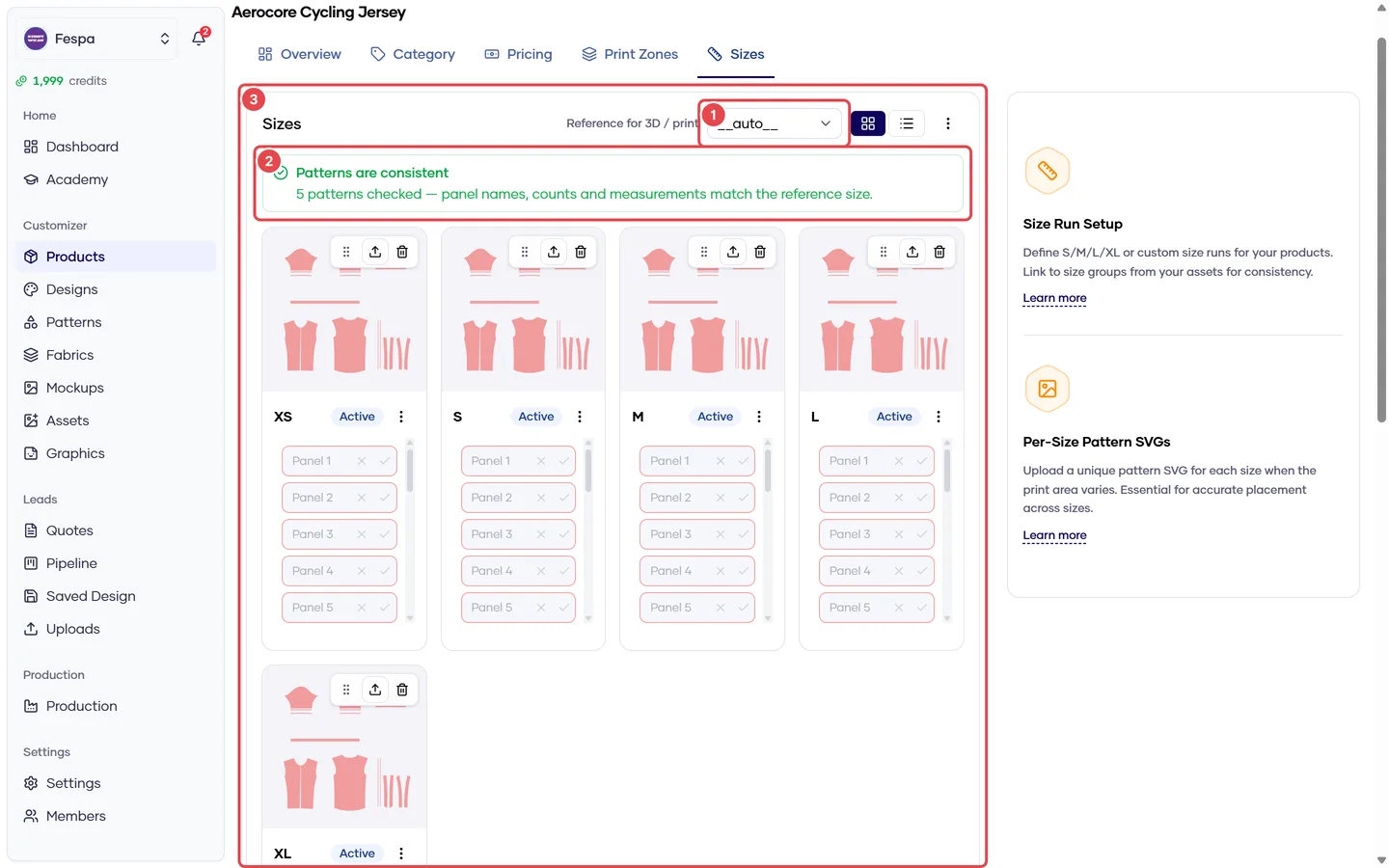
- Reference size
- Pattern pre-flight (panel consistency across sizes)
- Sizes with pattern SVG and measurements
Common questions
Our pattern SVGs are in mm already; why re-measure? The system cannot trust SVG units from arbitrary CAD exports. The measurement you draw is the single source of scale, and it survives re-exports of the pattern.
Everything prints 10× too small / too large. The measurement value was entered in the wrong unit. Measurements are stored in mm; check what you typed in the Measure dialog and regenerate.