Mockup Approval Workflow in Konfiwear
A complete 3D mockup → feedback → revision → approval cycle for custom apparel. Version control, client-facing review links, revision requests, and activity timeline.
Introducing the New Mockup Approval Workflow in Konfiwear
A complete 3D mockup → feedback → revision → approval cycle for custom apparel
In the world of custom apparel, sublimation printing, and print-on-demand, getting client approval before production is essential. A minor misunderstanding—color, placement, or pattern—can lead to delays, wasted materials, and unhappy customers.
To solve this, we're rolling out one of our most requested features ever:
The Konfiwear Mockup Approval Workflow
Now live for all users.
This upgrade takes our existing 3D mockup generator and turns it into a full, professional proofing system, including version control, client-facing review links, revision requests, and a detailed activity timeline.
And to illustrate how this works in real life, we've created a full real workflow demo (V1 → V2 → V3) using your final jersey mockup assets.
What's new?
1. Shareable Public Review Page
Clients can now view your 3D mockup through a clean, dedicated approval page.
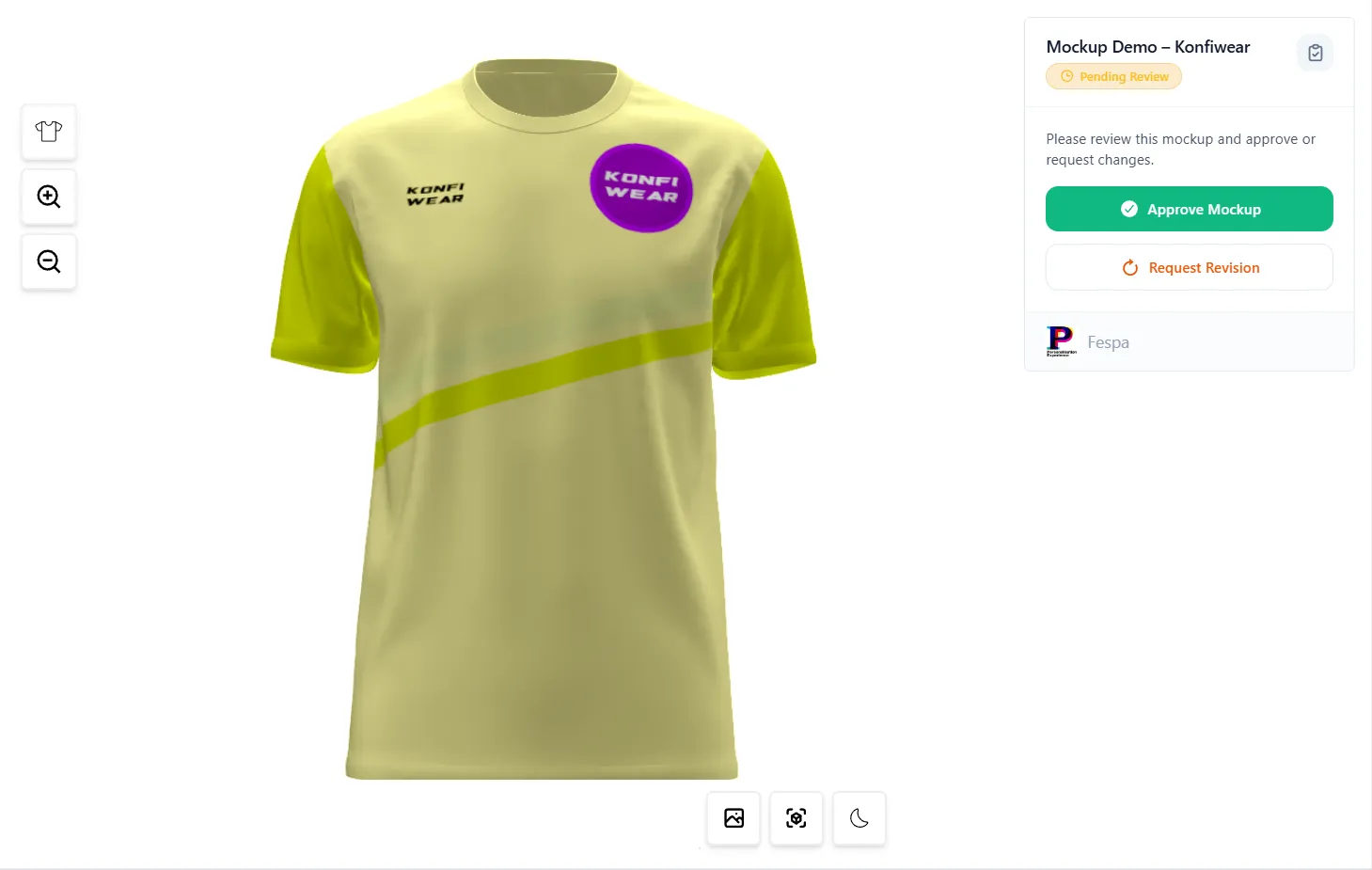
They can approve instantly…
…or request a revision using our built-in panel.
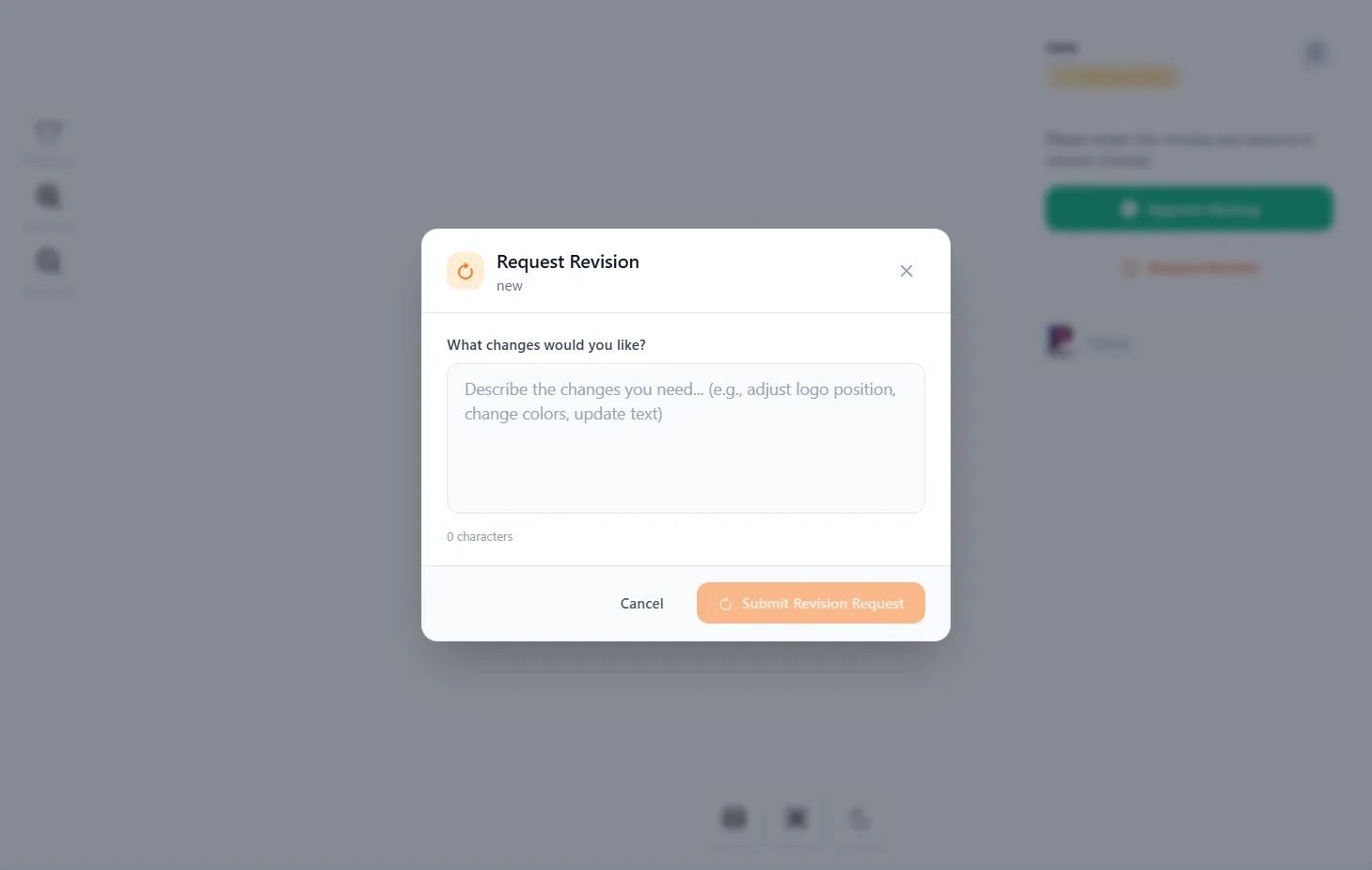
No login. No complications. Just clean, simple design proofing.
2. Revision Requests With Client Comments
When a client requests changes, their comments appear both in your dashboard and in the workflow timeline.
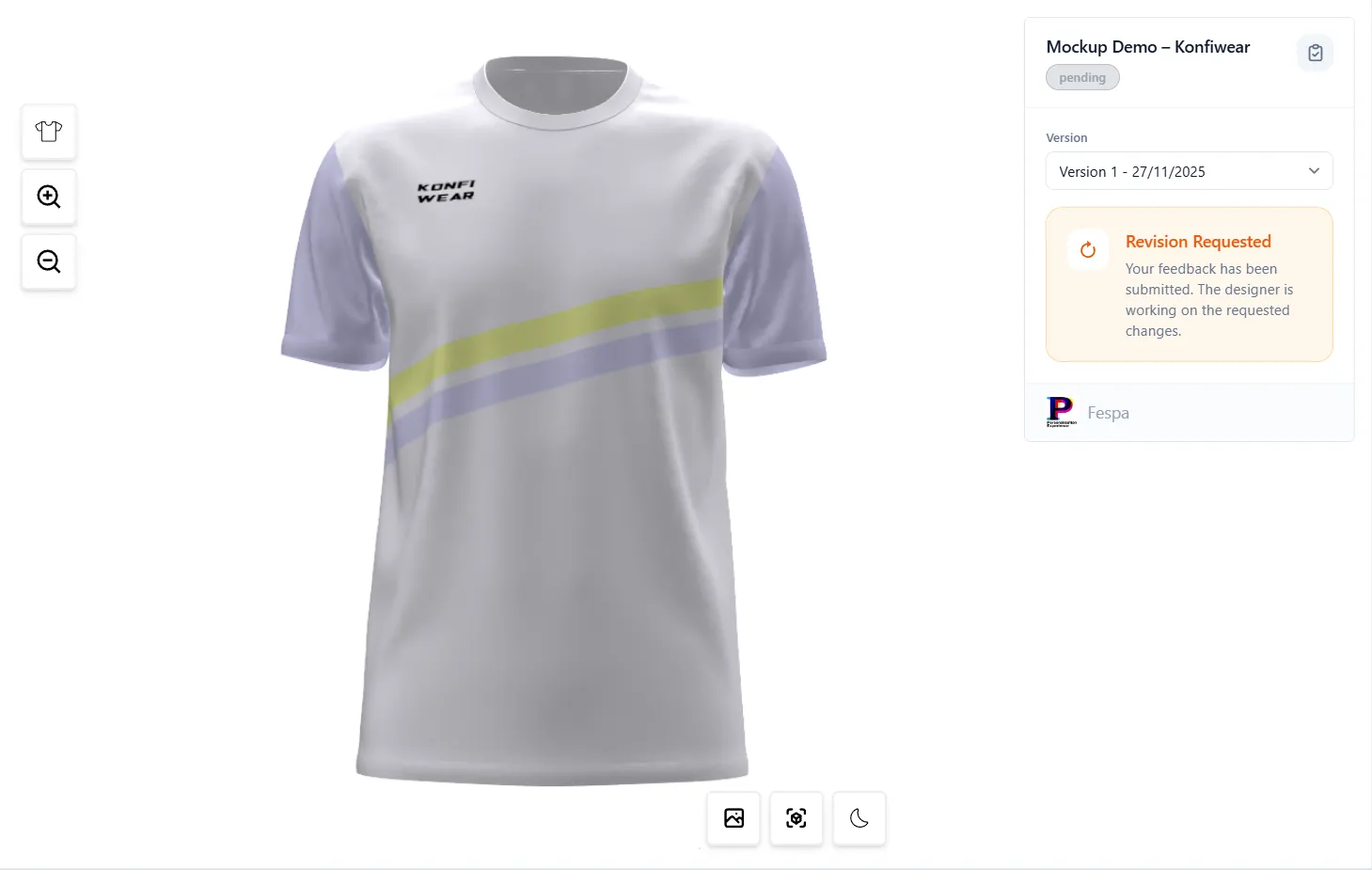
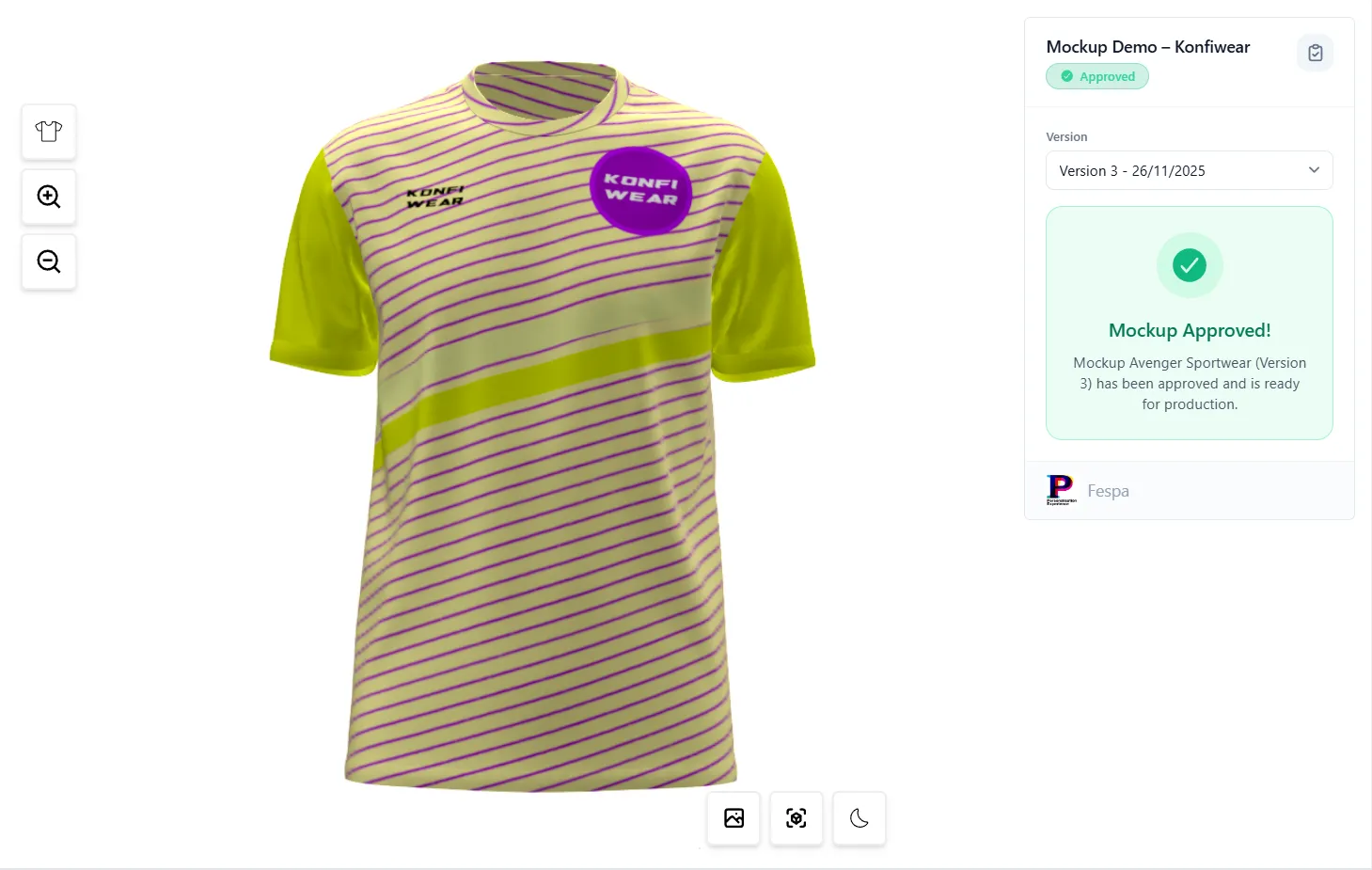
Every revision is logged and connected to a version.
3. Full Version Control for Mockups
Each mockup now contains multiple versions — V1, V2, V3…
You can upload new versions directly inside the editor.
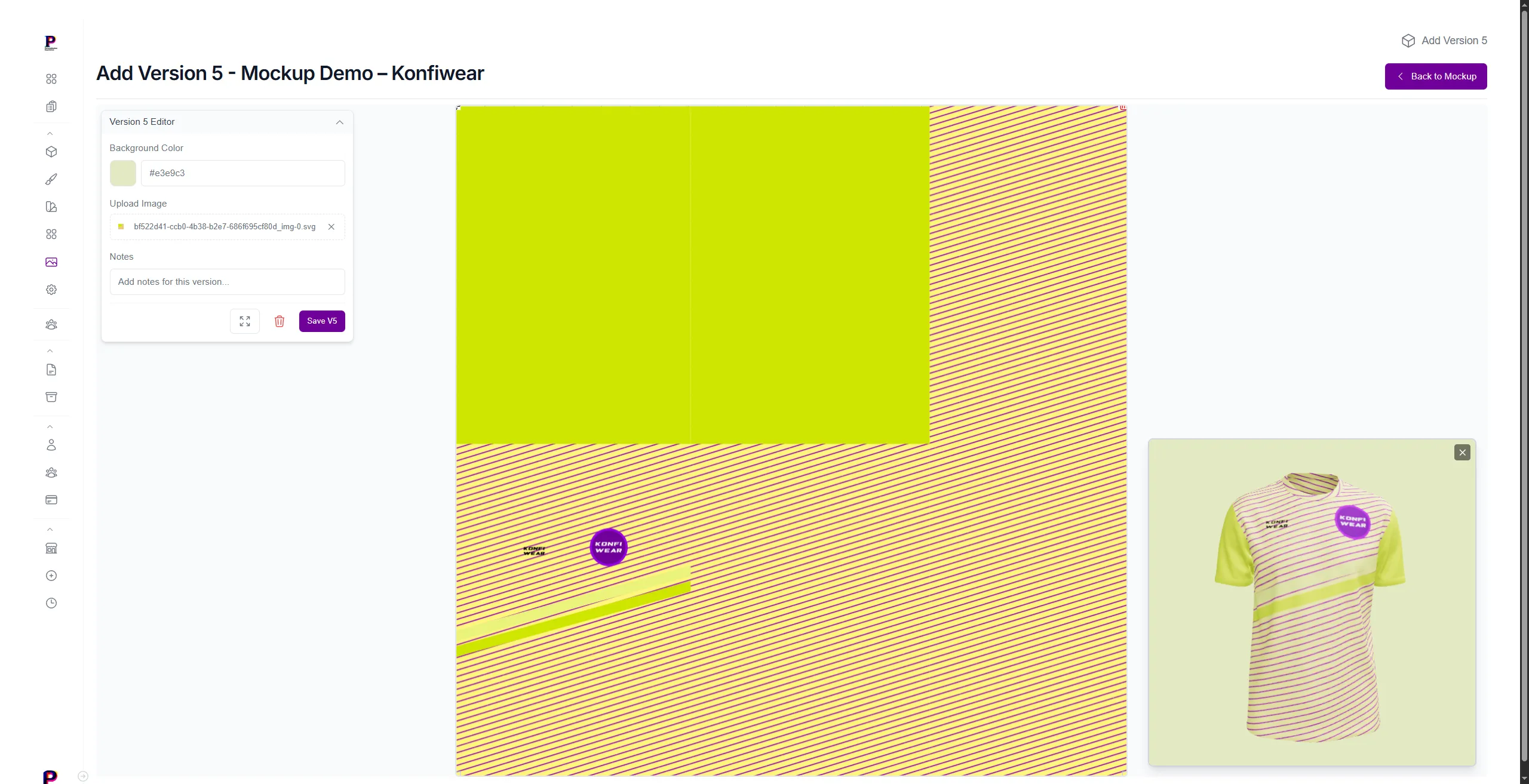
Save stores:
- Design URL (SVG, PNG)
- Preview render
- Notes
- Status (pending / revision requested / approved)
- Timestamps
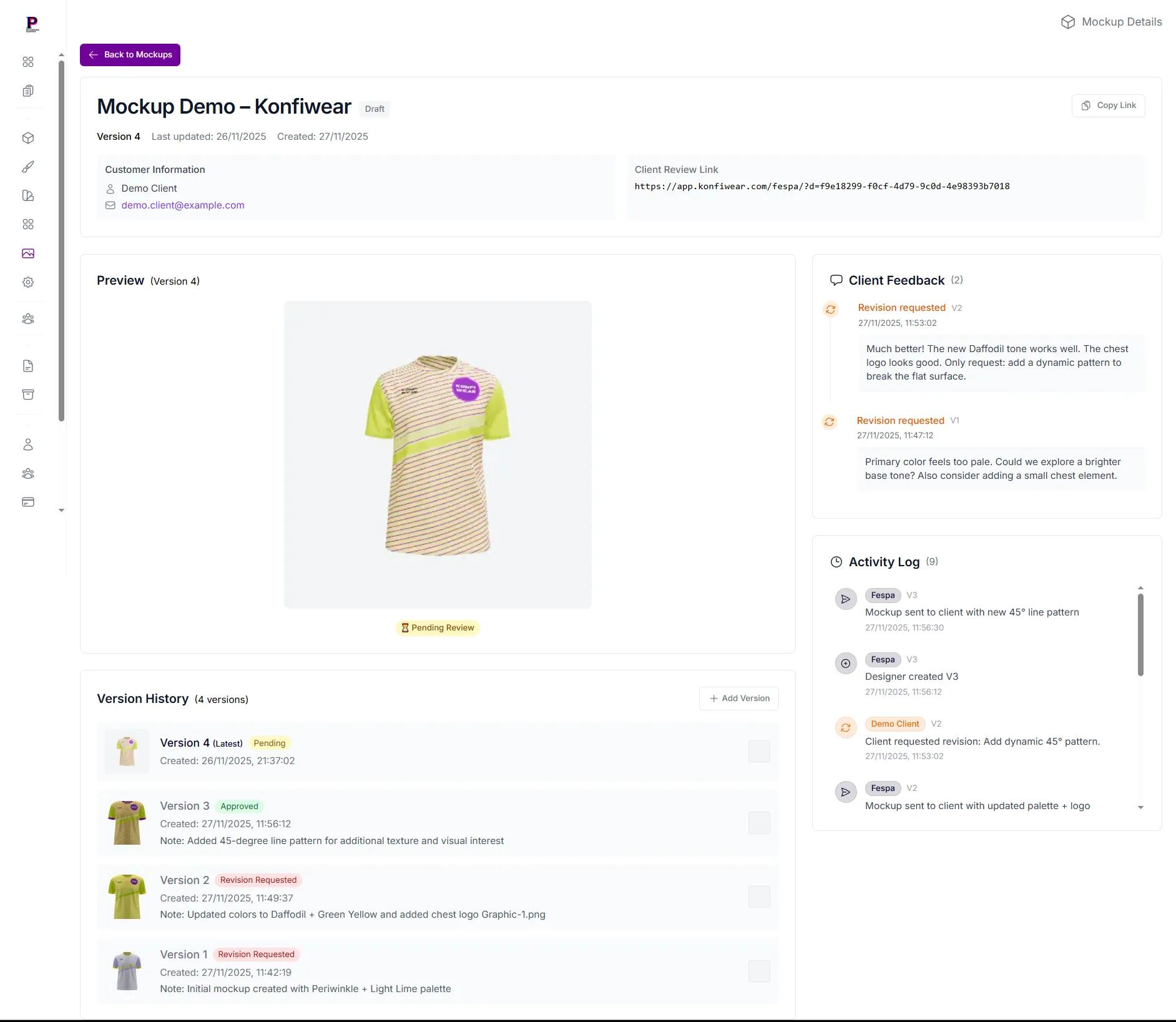
4. Centralized Mockup Detail View (Manager UI)
Your internal dashboard now displays everything in one place:
Versions list, Client comments, Activity log, Share link, Metadata...
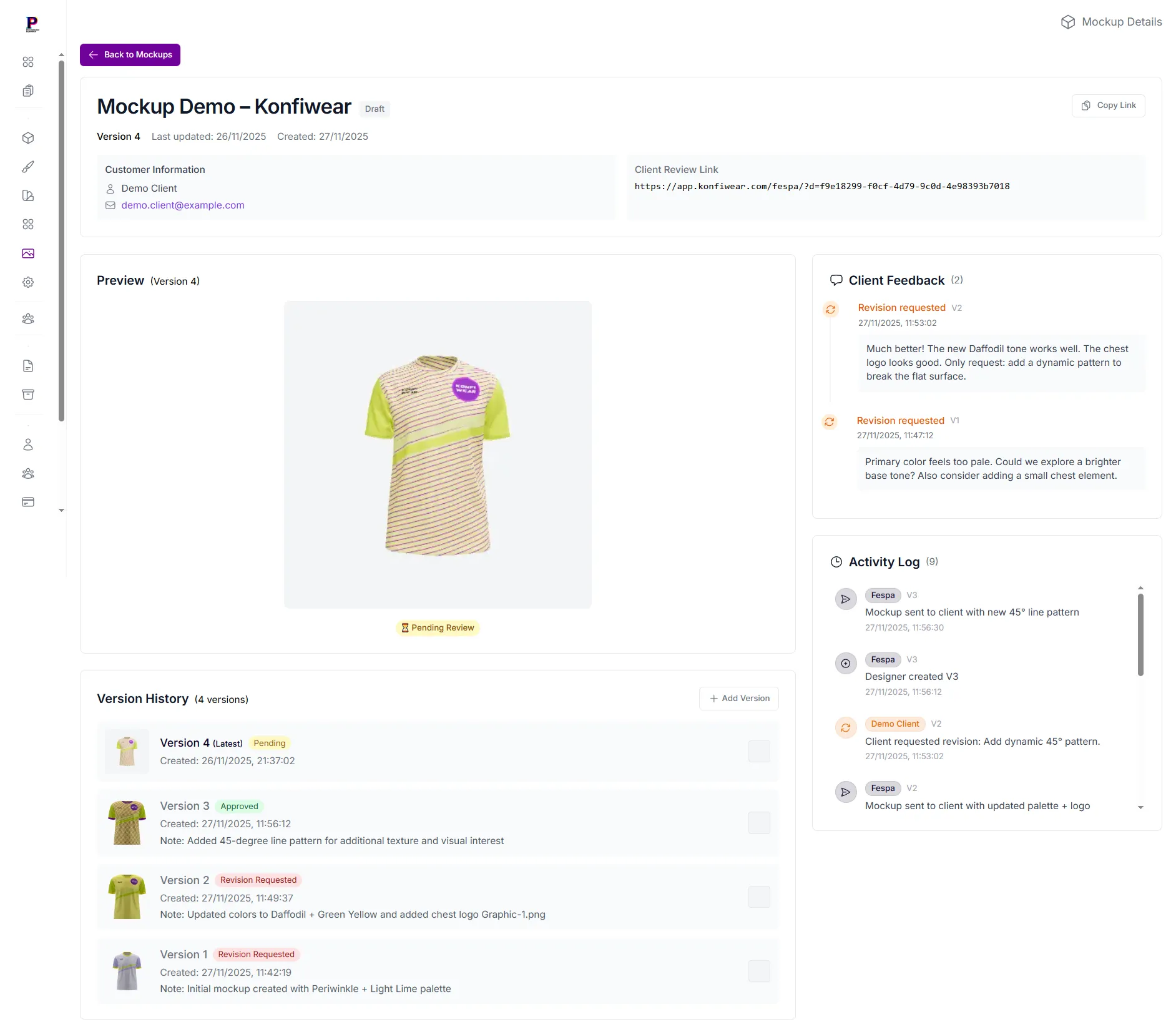
This gives you a high level of clarity and traceability.
5. Improved Global Table List View
The mockup overview table shows:
Mockup name, Customer, Current status, Number of revisions, Latest version, Last updated, Copy link button...
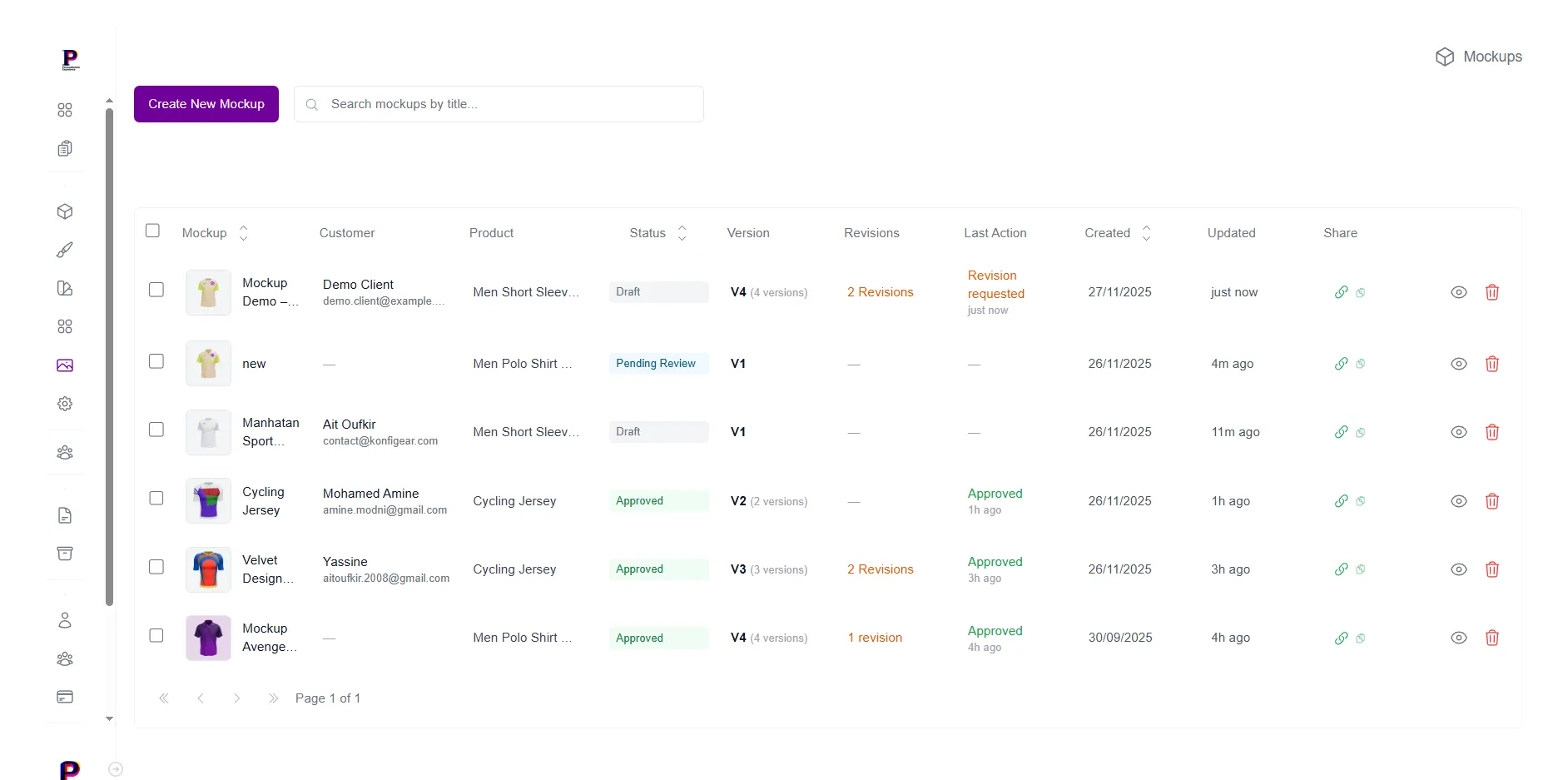
Fast filters make it very easy to track dozens or hundreds of custom jobs.
Real Example: A 3-Version Mockup Approval Cycle
Below is a real example from our demo workflow, showing exactly how a mockup goes from V1 → V2 → V3, including client feedback and designer updates.
V1 — Initial Concept
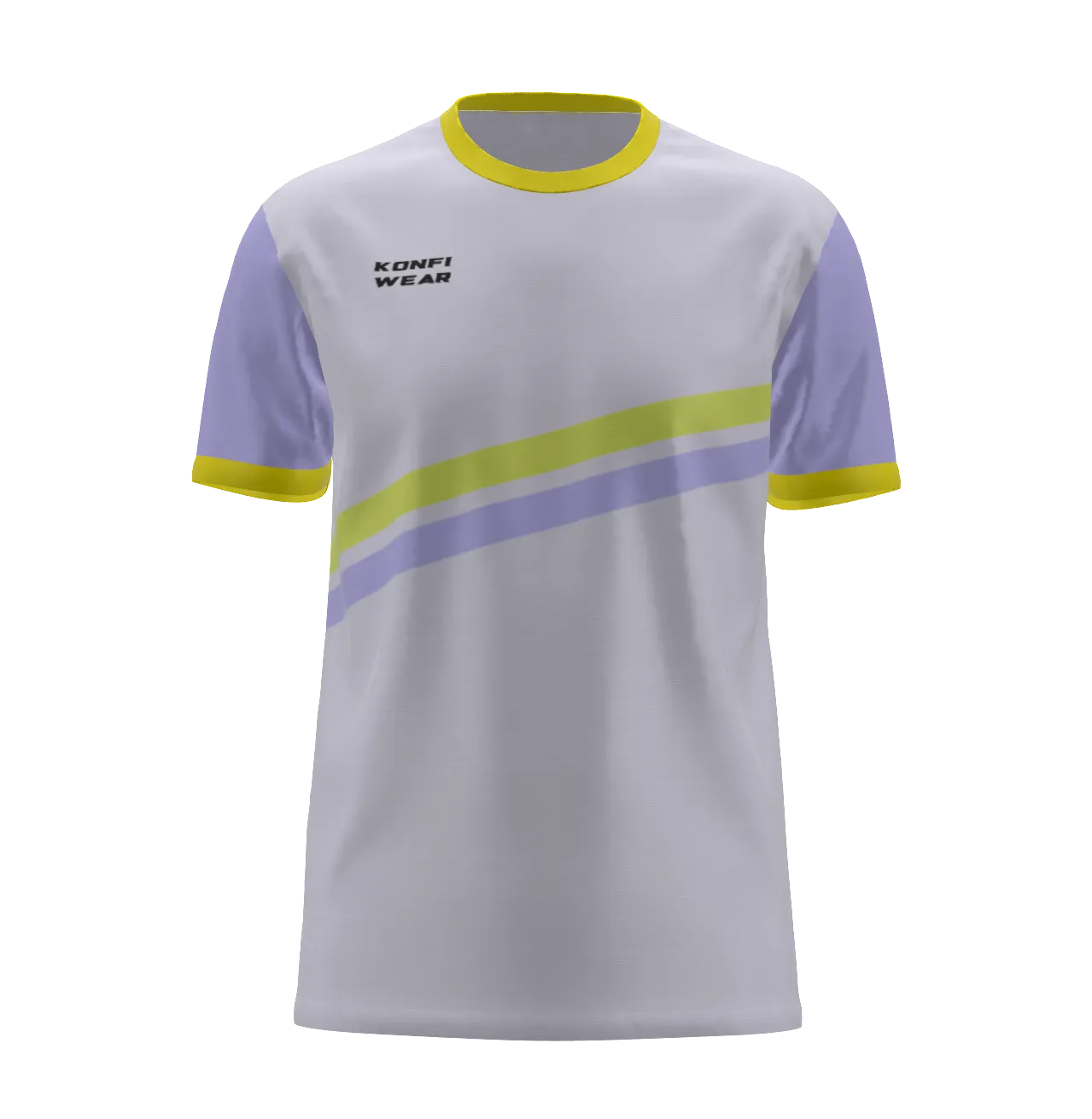
"Primary color feels too pale. Could we explore a brighter base tone? Also consider adding a small element on the chest."
V2 — Updated Colors
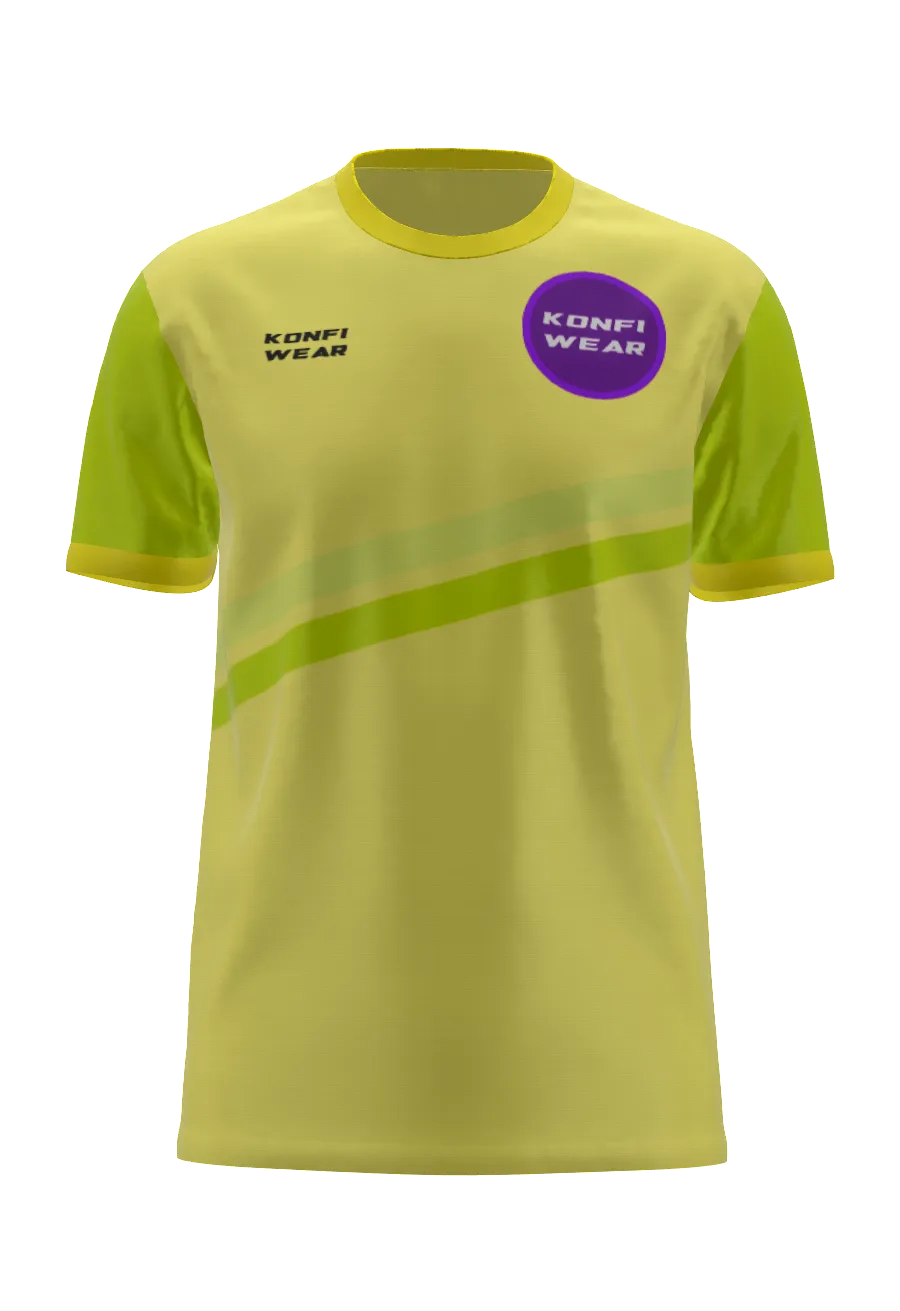
"Much better! The new Daffodil tone works well. The chest logo looks good. Only request: add a dynamic pattern to break the flat surface."
V3 — Final Version
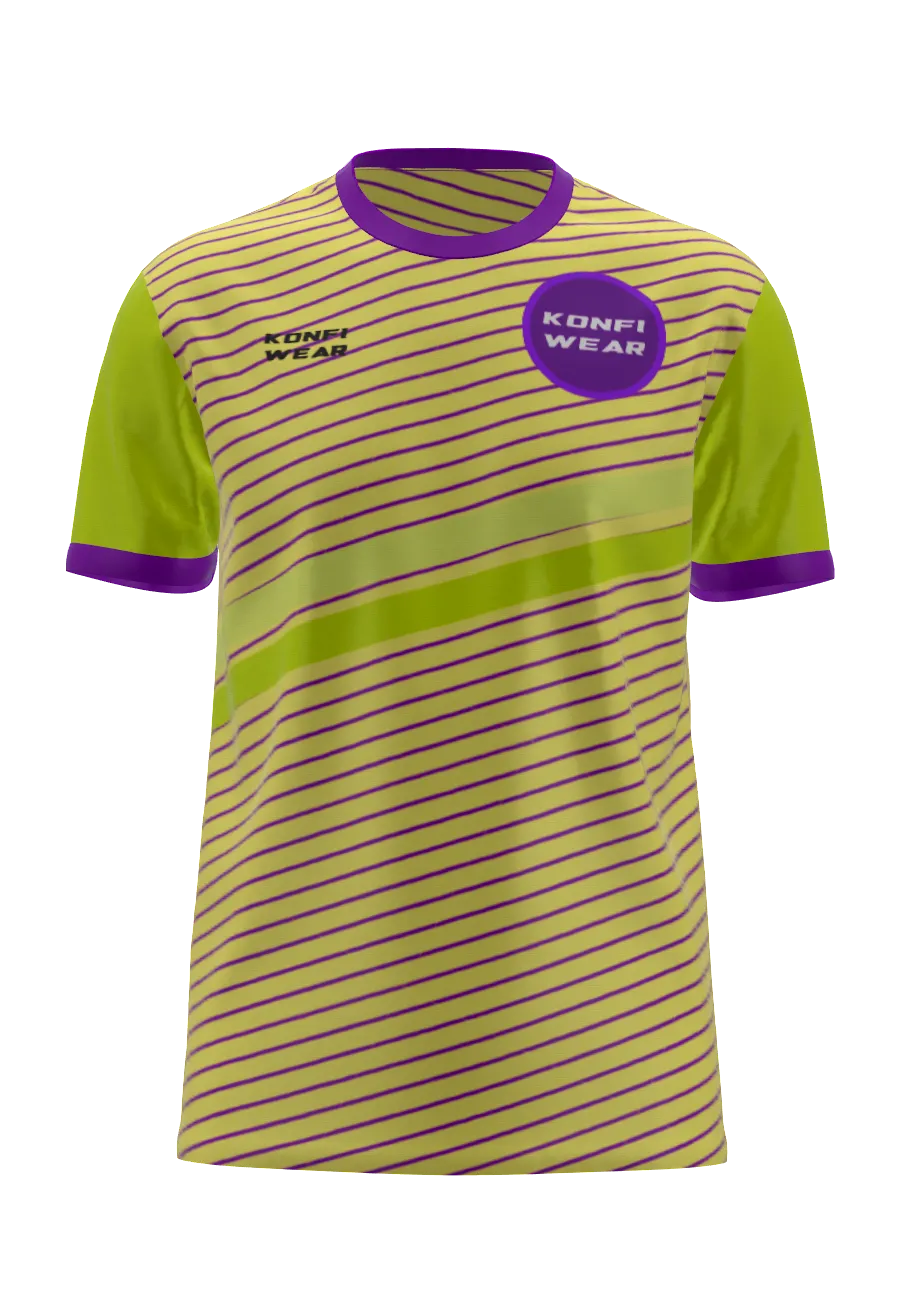
✔ Added 45° diagonal pattern
✔ Finalized colors
✔ Ready for approval
Why This Feature Matters
Reduces misprints & reworks — Less waste, fewer returns, and higher quality output.
Clear version history — Full traceability for every design iteration.
No more confusing email threads — All feedback centralized in one place.
Professional client experience — Clients see realistic 3D previews and can comment directly.
Faster production approval cycles — Streamlined workflow from design to sign-off.
Perfect for POD, sportswear, agencies, printers — Scalable for any custom apparel business.
This is exactly the workflow used by major custom apparel brands — now available directly in Konfiwear.
Ready to Try It?
Generate a mockup → Click "Send for Approval" → Receive feedback → Upload new versions → Get final approval.
Your custom apparel workflow just got a whole lot simpler.
Get Started Now
- Log in to your Dashboard
- Book a Demo with our product team
- Contact Us for questions or feedback