Storefront URL and embedding
Your storefront links, the iframe snippet, URL parameters for prefilling, and the call-to-action modes.
URLs
| URL | Opens |
|---|---|
/c/your-account | Category navigation, then the default product |
/c/your-account/product-code | A specific product directly |
your-domain.com/... | Same, on a custom domain |
Your account slug is in the address bar of your dashboard (/home/your-account/...). The product code is on the product's Overview tab.
Embed on your website
Paste an iframe where the customizer should appear. Give it the full width and a tall fixed height — the customizer manages its own scrolling.
For WooCommerce, Wix and Shopify there are plugins that place the iframe and connect Add to cart — see Integrations.
URL parameters
| Parameter | Effect |
|---|---|
?design=<id> | Preselect a design |
?quote=<id> | Reopen an existing quote for editing |
?saved=<token> | Reopen a saved design |
?transaction_id=<your-ref> | Echoed back in webhooks and iframe messages (Save/API mode) |
Call-to-action modes
Set in Settings → Global → Call to action:
| Mode | Button | What happens |
|---|---|---|
| Quote (default) | Request quote | Customer fills a contact form; a quote appears in Leads → Quotes |
| Cart | Add to cart | Sends the configured item to your connected shop (Shopify / WooCommerce / Wix) |
| Save / API | Save design | Posts the full design JSON to your webhook URL — for your own order system |
The same page lets you choose the button placement, label, size, a price summary, a Save for later secondary button and a terms-and-conditions checkbox.
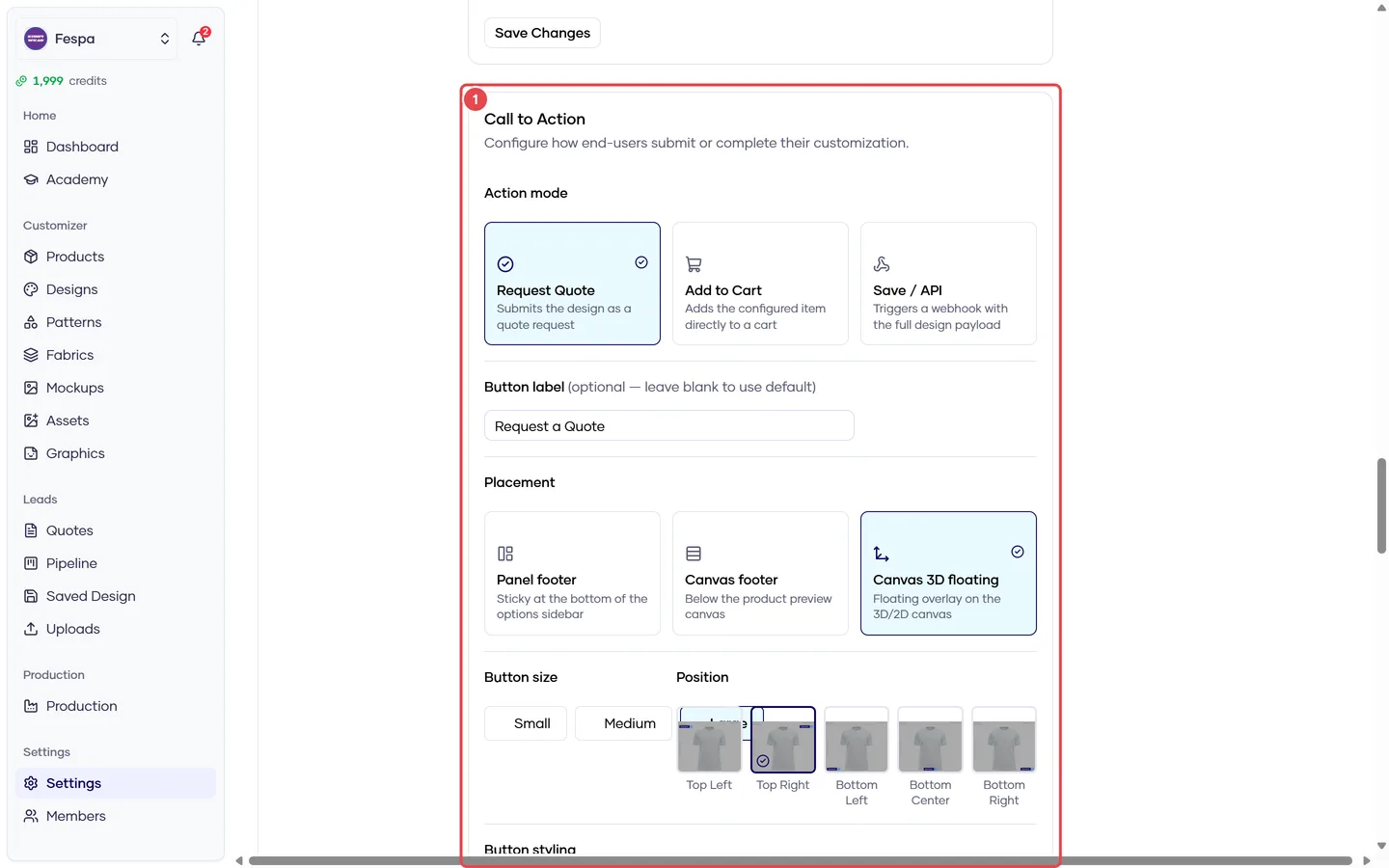
- Call to action: mode (Quote / Cart / Save API), placement, label, price summary, terms
Common questions
The iframe shows "Customizer not available". The customizer is disabled for the account (Settings → Features) or the product code in the URL is wrong or disabled.
Can I remove the Konfiwear branding? Theme and layout options are in Settings → Global; branding removal depends on plan.
Cookies / sessions inside the iframe. Browsers partition cookies in iframes. Customer sessions are kept by Konfiwear in the iframe itself; if you need your own session id, pass it as a passthrough parameter (Save/API mode, Settings → Global).