3D Jersey Mockup Generator
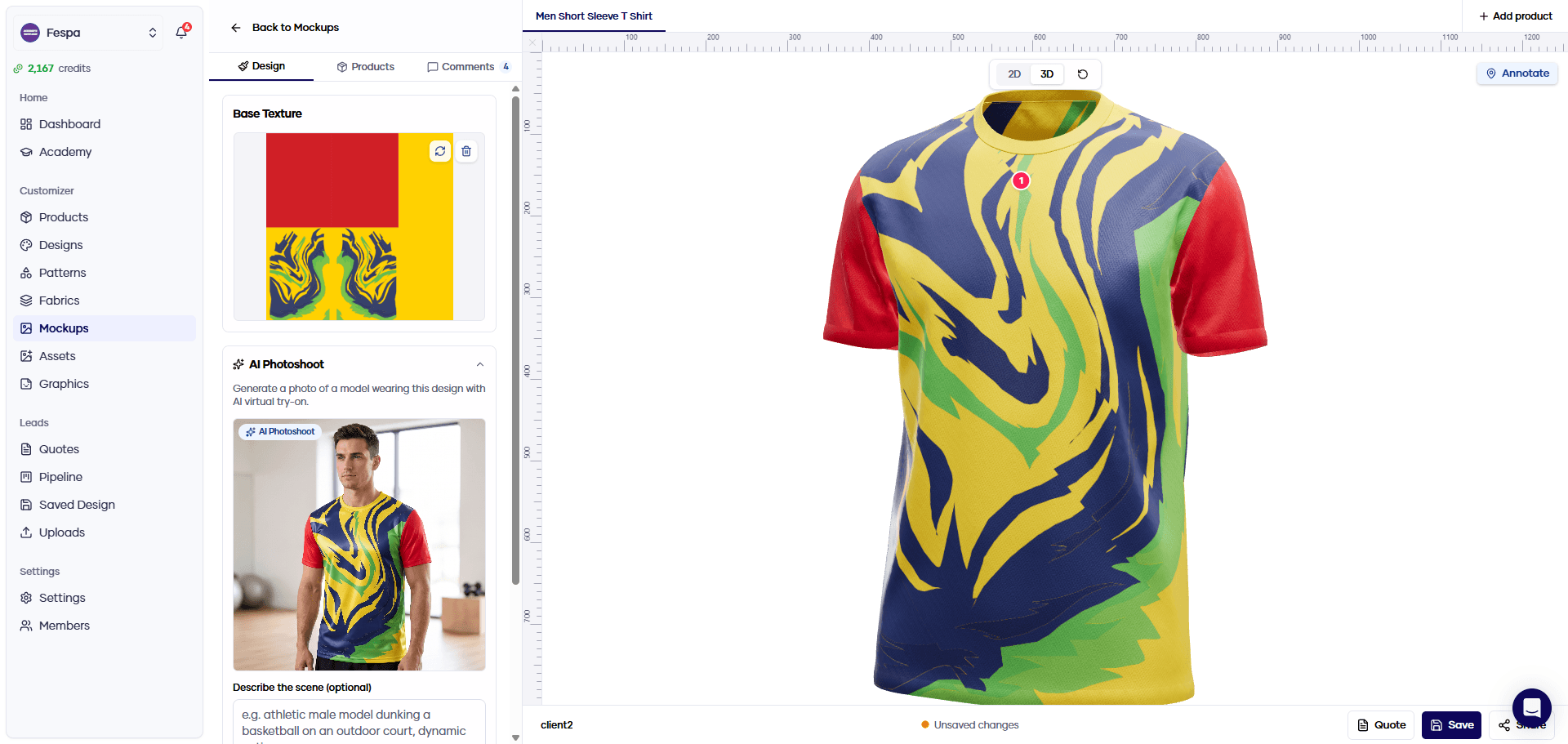
Konfiwear turns a flat jersey design into a 3D mockup. Upload an Illustrator, SVG, PDF or PNG file, see it wrapped on a 3D jersey you can rotate and zoom, then share a link so your client can comment and approve.
Built for sportswear brands, teamwear dealers and print shops that mock up kits every week. The mockup, the client's approval and the quote stay in one place.
How to create a 3D jersey mockup
- 1
Pick the jersey
Choose a blank 3D garment from the Product Library, or upload your own model as a GLB file, for example one built in CLO3D.
Product Library → - 2
Upload your design
Drop in the artwork as AI, EPS, PDF, SVG, PNG or JPG. Vector files are converted for you. For panels that line up exactly, lay the artwork out on the garment's 2048 × 2048 px UV sheet first.
Supported file formats → - 3
Check it in 3D
Switch between the flat 2D layout and the 3D model. Rotate, zoom, add logos and text, and fix what looks wrong before anyone else sees it.
3D mockup previews → - 4
Share and get approval
Send one link. Your client opens the 3D mockup in a browser, without an account, pins comments on the garment and approves. An approved mockup converts into a quote.
Mockup approval workflow →
From an Illustrator jersey design to a 3D mockup
Most jersey designs start as a vector file: your own, or a template from Freepik or Envato. To get a design whose colours stay editable in the 3D configurator, prepare the file on the garment's UV map and export it as an SVG with named layers.
- Export the garment's UV map at 2048 × 2048 px and use it as your Illustrator artboard
- Group shapes by colour and name the layers Primary, Secondary and Accent
- Export as SVG with artboards on, and keep the paths as vectors
- Upload the file under Designs, assign the product and preview it in 3D
More than a picture of a jersey
A mockup that turns
Clients rotate and zoom the jersey from every angle instead of judging a single flat front view.
3D mockup previews →Logos and text on top
Add sponsor logos, crests and text as separate layers on the 2D layout and see them land on the 3D garment.
Mockup Studio →A model wearing it
AI Photoshoot generates a photo of a model wearing the design, in a scene you describe. It uses credits.
Apparel mockup generator →Approval on the garment
Reviewers pin comments to the exact spot on the 3D jersey, and every version you share is kept.
Mockup approval workflow →Your files, as they are
AI, EPS, PDF, SVG, PNG, JPG and WebP all upload directly. Raster files below 2048 px get a quality warning.
File format support →From mockup to order
An approved mockup becomes a quote with the product and design attached, so nothing is typed twice.
Quotes →PSD jersey mockup template or 3D mockup generator?
A Photoshop jersey mockup template works for one design shown once. It shows one angle, on a garment that is not yours, and every colour change means opening the file again.
PSD template
- One fixed camera angle per file
- A generic garment, not your cut or panels
- Every revision is a new export and a new email
- Feedback arrives as screenshots and notes
- Nothing connects the mockup to the order
3D mockup in Konfiwear
Any angle — one mockup, rotated and zoomed by whoever opens it
Your garment — your own 3D model, or a blank from the Product Library
One link — the client always sees the latest version you shared, at the same address
Comments on the jersey — pinned to the spot they refer to
Leads to a quote — an approved mockup converts into a quote
3D Jersey Mockup FAQs
Mock up your next jersey in 3D
Start a 14-day free trial of the Pro plan, upload a design and send your client a link instead of a PDF.