Designing dart shirts usually involves a long and manual process — creating mockups, sending emails, preparing files for print, and waiting for approvals.
With Konfiwear, you can eliminate those repetitive steps and manage the entire customization process online — in real-time 3D, ready for production.
In this tutorial, we’ll walk you through how to design and publish your first 3D dart shirt using Konfiwear — from subscription to print-ready files.
Step 1 – Get a Konfiwear Subscription Plan
Before you start creating products, you’ll need a Konfiwear subscription.
Choose a plan that fits your business size and growth stage.
| Plan | Price | Key Features | Ideal For |
|---|---|---|---|
| Basic | $90/month or $900/year | Publish up to 50 products, 100 designs, email support, quote order system | Small teams and workshops |
| Pro | $280/month or $2800/year | Unlimited products and designs, e-commerce integration, AI graphic generator, priority support | Professional apparel manufacturers |
Tip: Dart shirt producers who want to integrate their configurator into Shopify or WooCommerce should choose the Pro Plan, which unlocks full e-commerce and AI features.
Step 2 – Access Your Starter Pack
After activating your plan, you’ll automatically receive a Starter Pack with three ready-to-use 3D apparel models to explore the platform.
| Product | Preview | Description | Format |
|---|---|---|---|
| Men Short Sleeve T-Shirt |
| A base model for standard sportswear | .glb |
| Unisex Oversized Hoodie |
| Perfect for lifestyle or fan apparel | .glb |
| Unisex Sweatshirt |
| For casual or training wear | .glb |
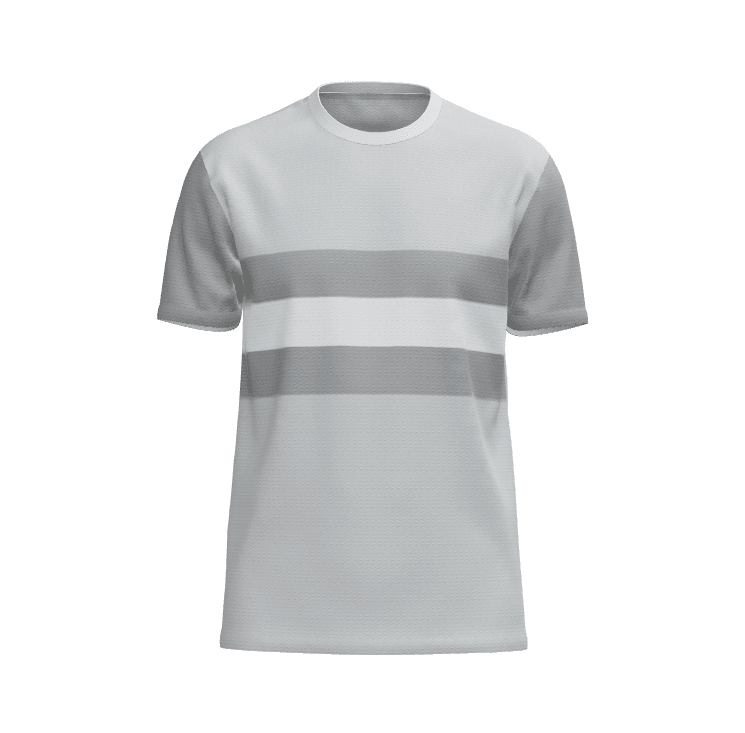
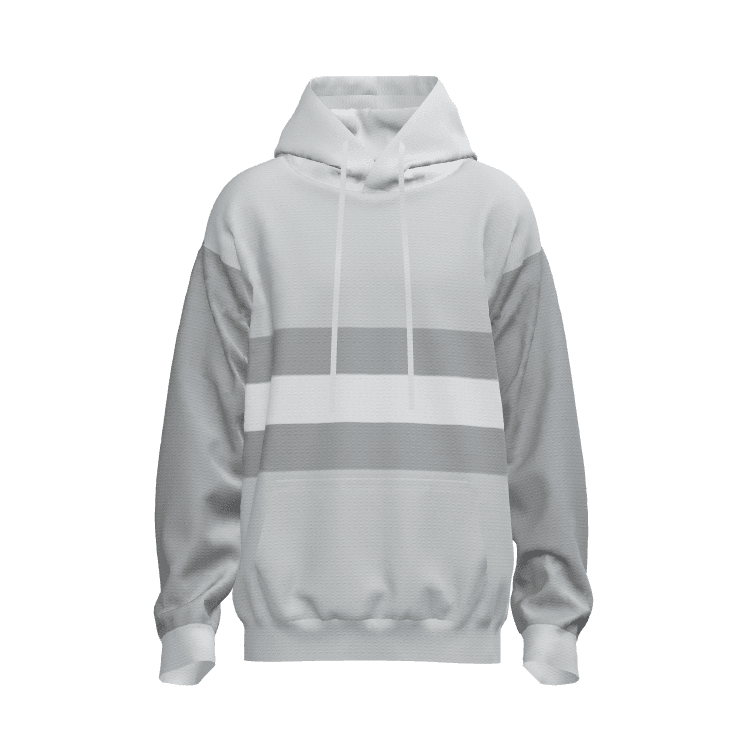
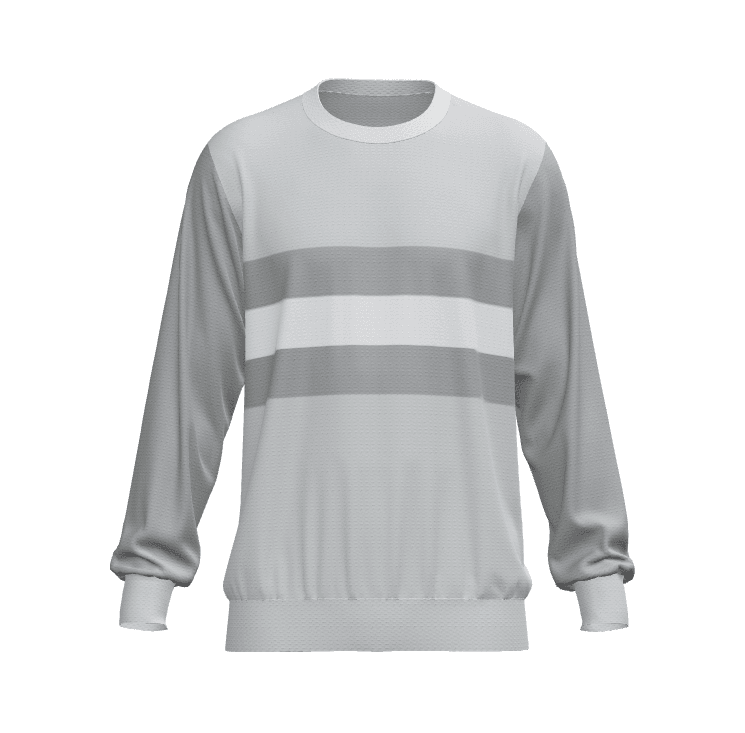
These starter models are great for learning how to upload, edit, and publish new products in your dashboard.
Step 3 – Upload Your Dart Shirt Model
To start designing dart shirts, upload your own 3D model — or use our ready-made dart shirt .glb file optimized for Konfiwear.
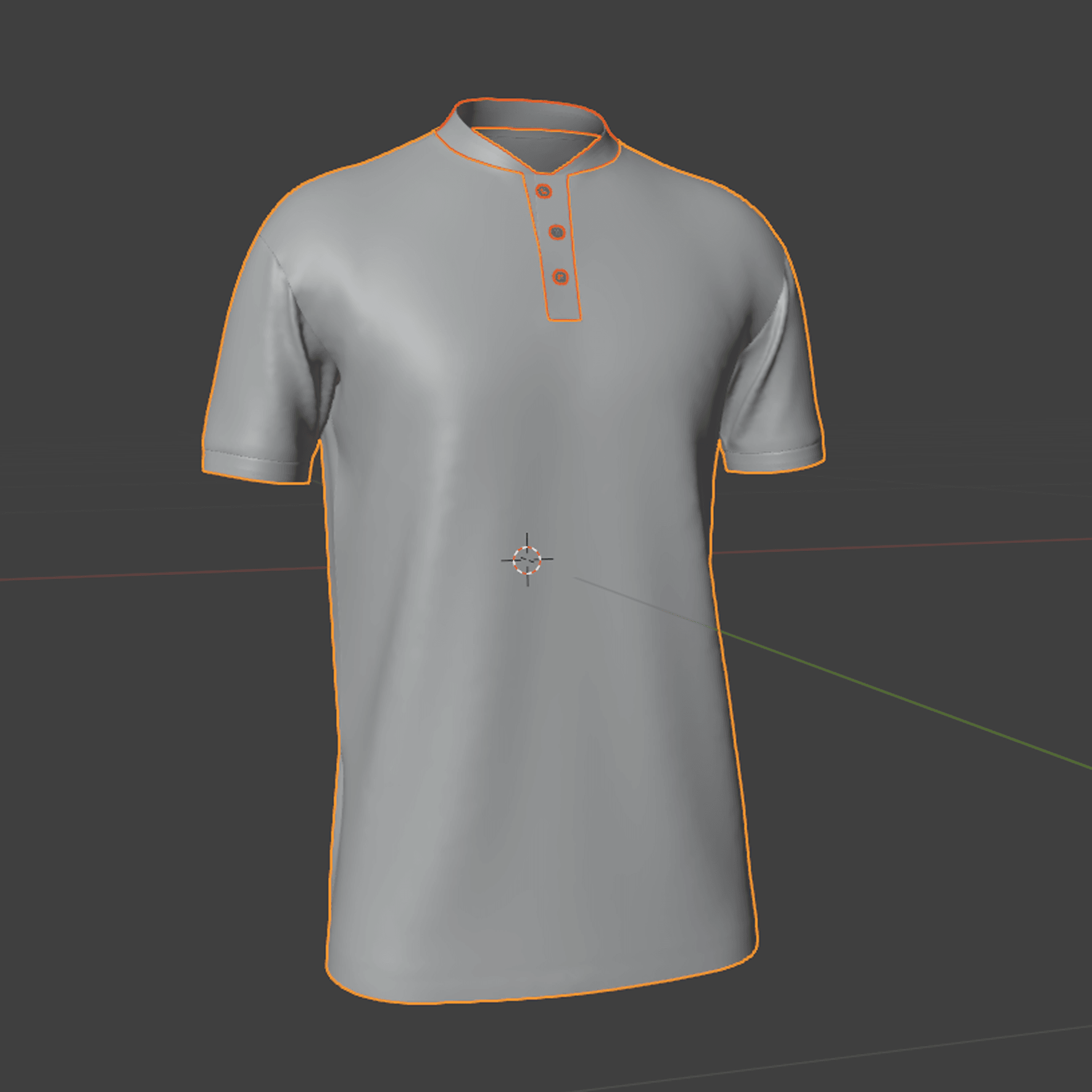
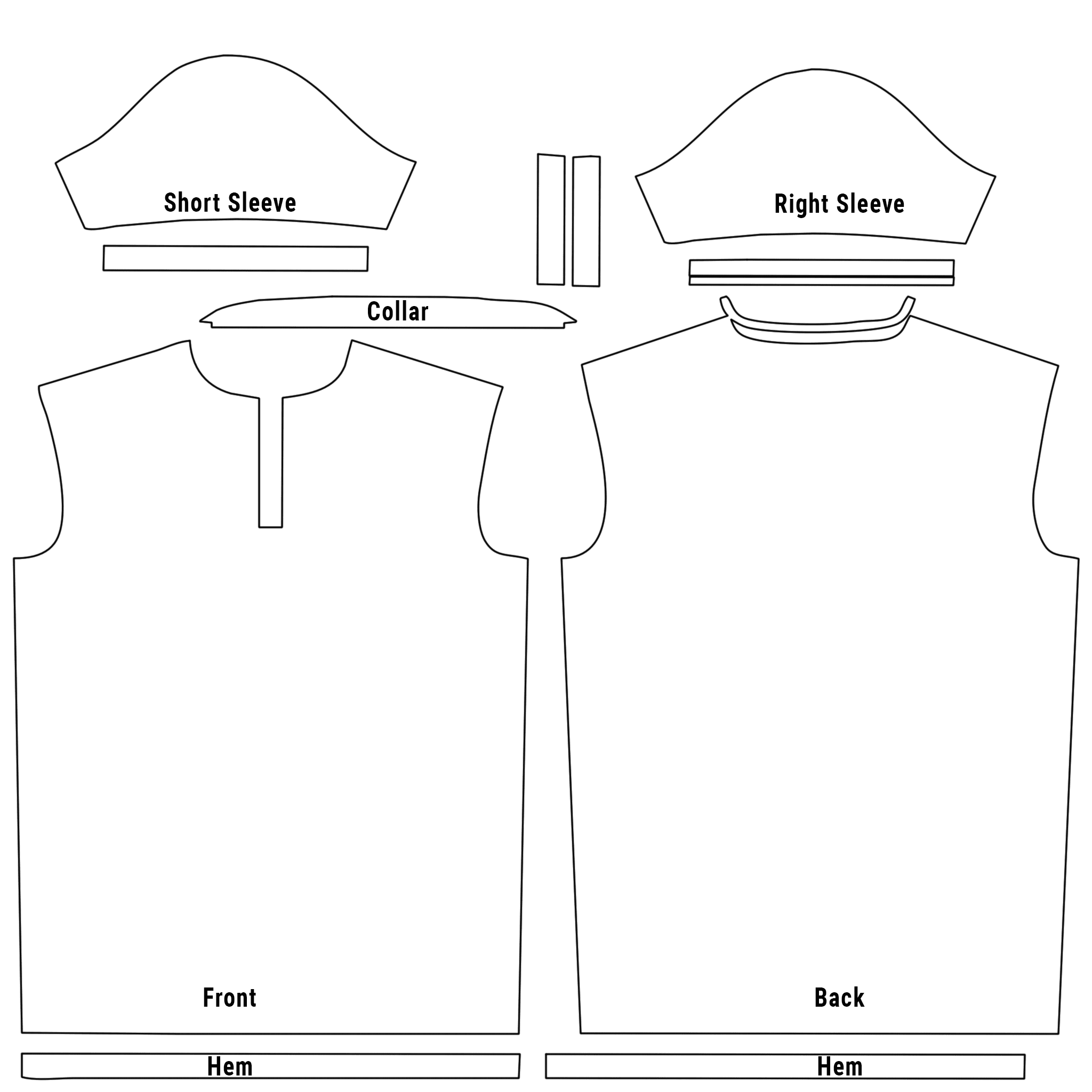
Download Free Dart Shirt 3D Model (.GLB)
Once downloaded:
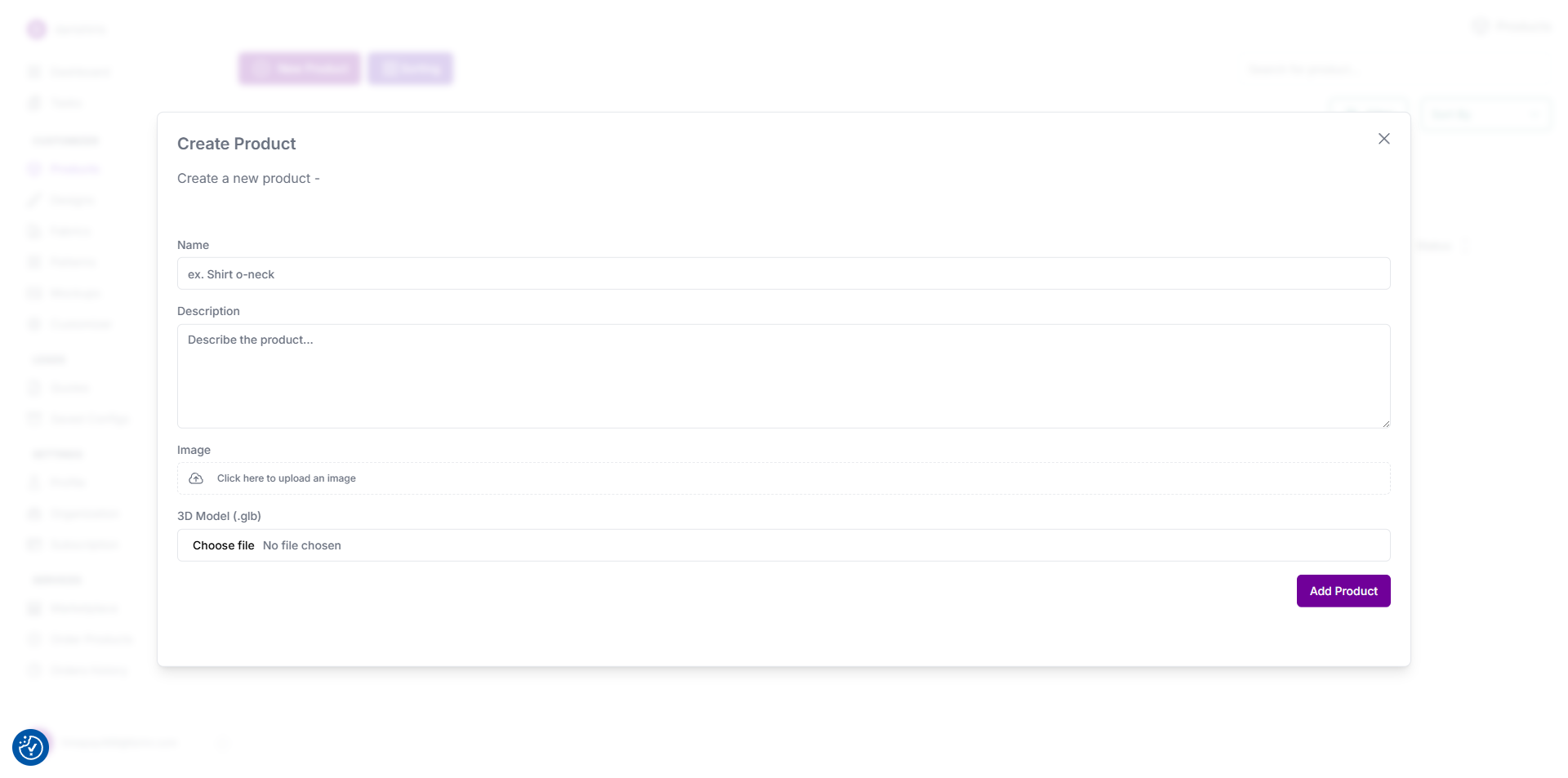
- Go to Dashboard → Products → Add New Product.
- Upload the
.glbmodel. - Fill in product details (name, description, price).
- Add size variants (S, M, L, XL), in
Customizer-Custom Sizes - Upload your product preview image.
Tip: For dart shirts, we recommend using polyester or micromesh textures for more realistic 3D visuals.
Step 4 – Configure Pricing, Categories & Product Details
Inside your product panel, configure your pricing structure and category.
Example pricing setup:
| Quantity | Price per Unit |
|---|---|
| 5–14 pcs | €69 |
| 15–24 pcs | €66 |
| 25+ pcs | Custom quote |
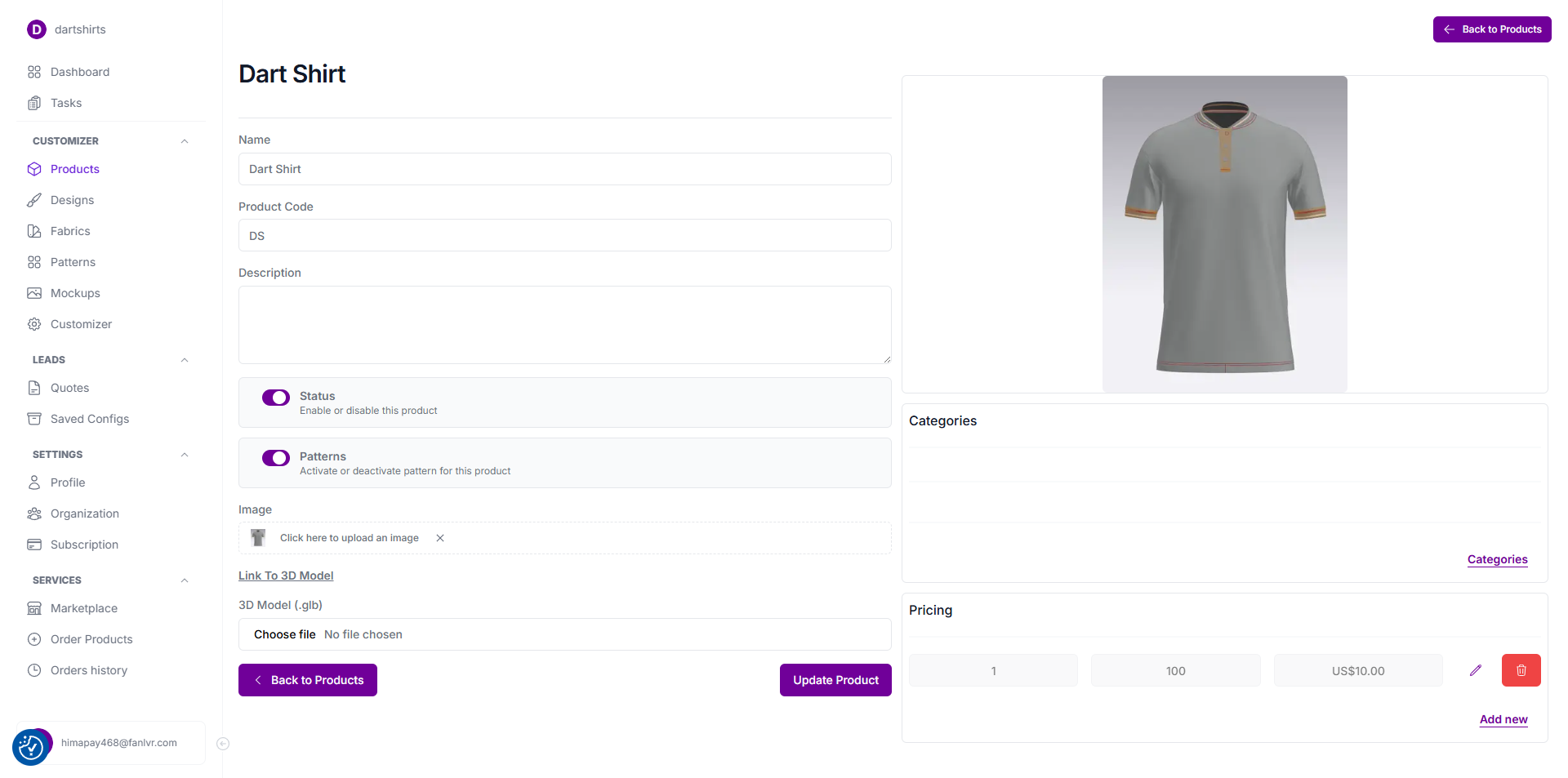
Then assign the product to a category such as:
- Dart Shirts
- Teamwear
- Sports Uniforms
Include size options, product code, and an image thumbnail (and optionally the AO image for better lighting).
Step 5 – Import Your Dart Shirt Designs
Now it’s time to make your product look like your brand.
Upload your design artwork to your Designs section in Konfiwear.
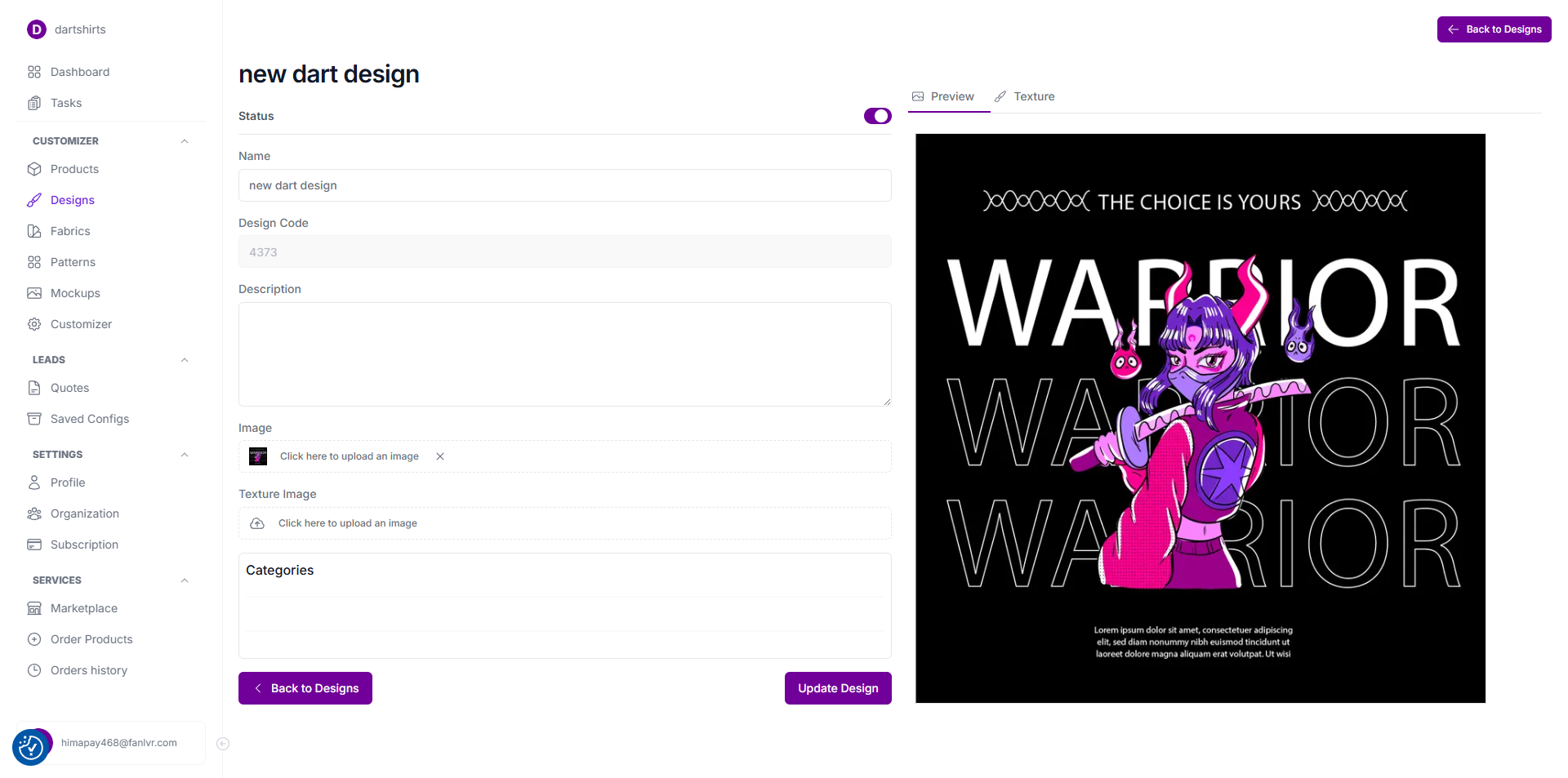
- Go to Dashboard → Designs → Upload New Design.
- Upload your vector or SVG design files.
- Link your designs to your dart shirt product.
For a full visual guide, follow this tutorial:
👉 How to Create a Jersey Design in Konfiwear
Tip: Keep your artwork in vector format to ensure perfect print quality for sublimation dart shirts.
Step 6 – Launch Your 3D Dart Shirt Configurator
Once your product and designs are uploaded, you can launch your 3D configurator.
- Go to Dashboard → Customizer → Global
- Copy your Customizer Link or Deploy it if it's not active yet
- Share it with clients or embed it on your website
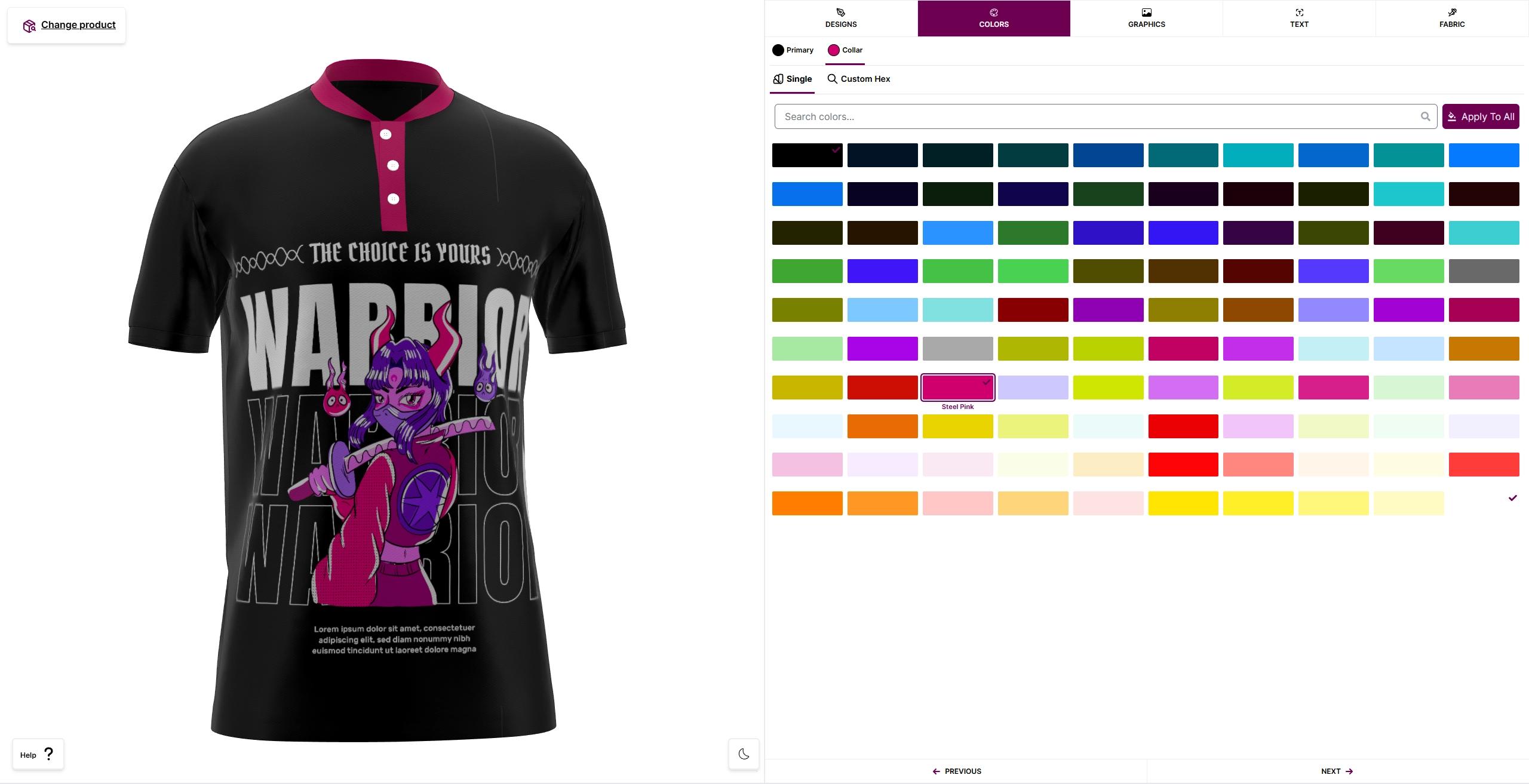
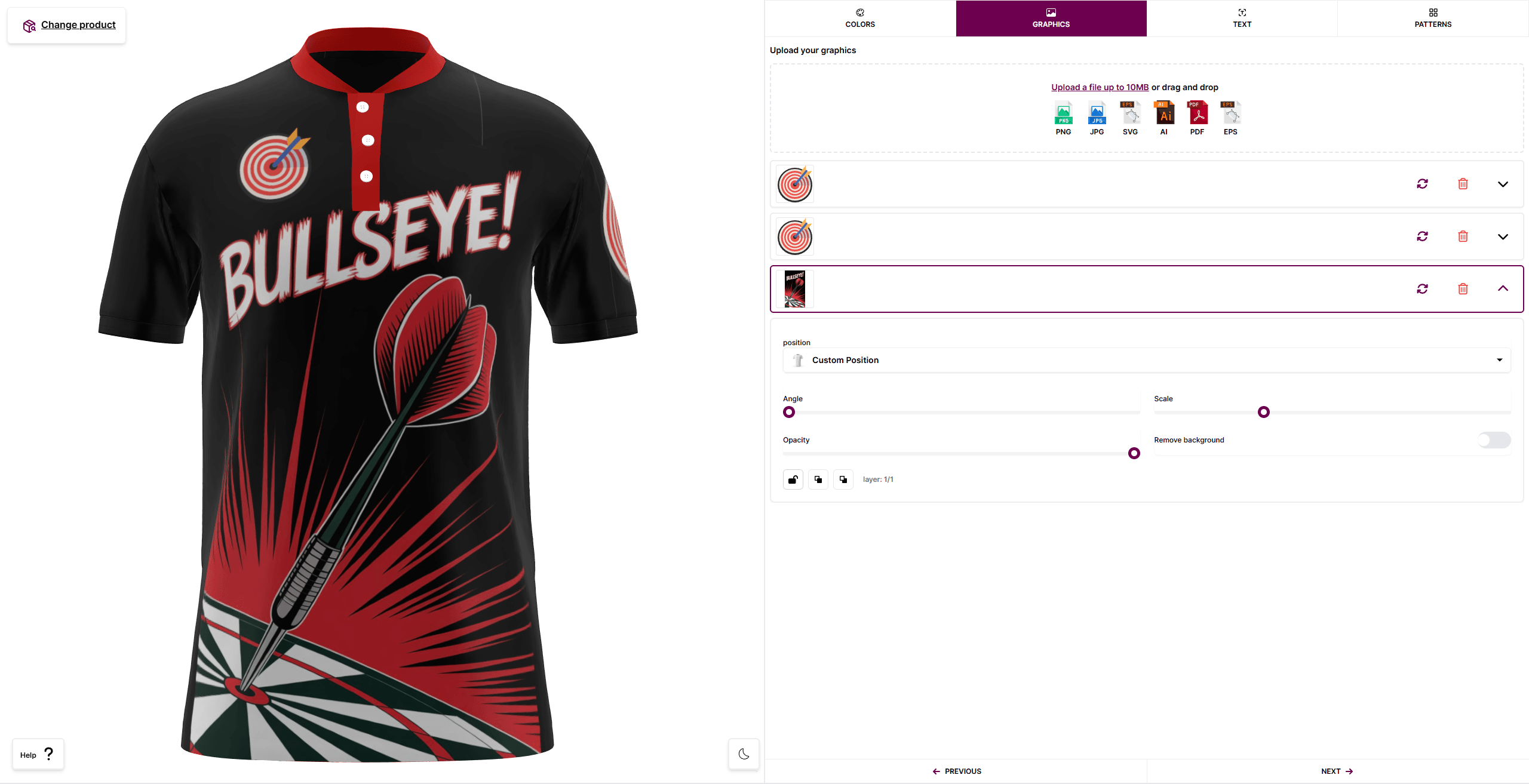
Your customers can now design their dart shirts in real-time 3D, changing colors, adding logos, and visualizing every detail before production.
Example link:
https://app.konfiwear.com/dartshirts/?model_id=DSP
Step 7 – Set Up Email Quotes and Notifications
If you want customers to request quotes directly from your configurator:
- Set up your SMTP email configuration following this guide:
SMTP Settings — Quote Email Configuration - Customize your Quote Email Form Editor under Settings → Quotes.
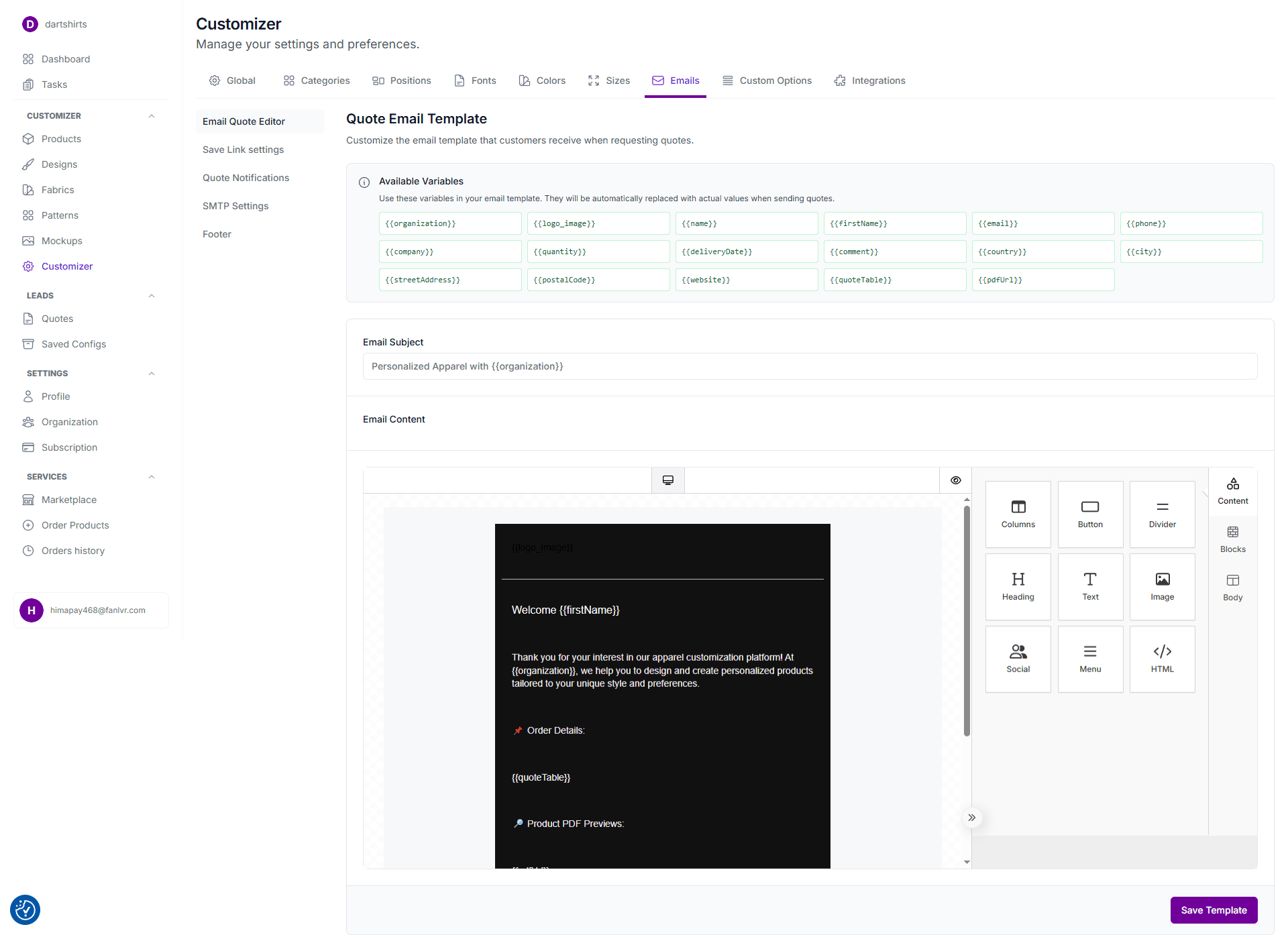
Tip: Use your brand domain (like [email protected]) to ensure better email deliverability.
Step 8 – Generate Print-Ready Files
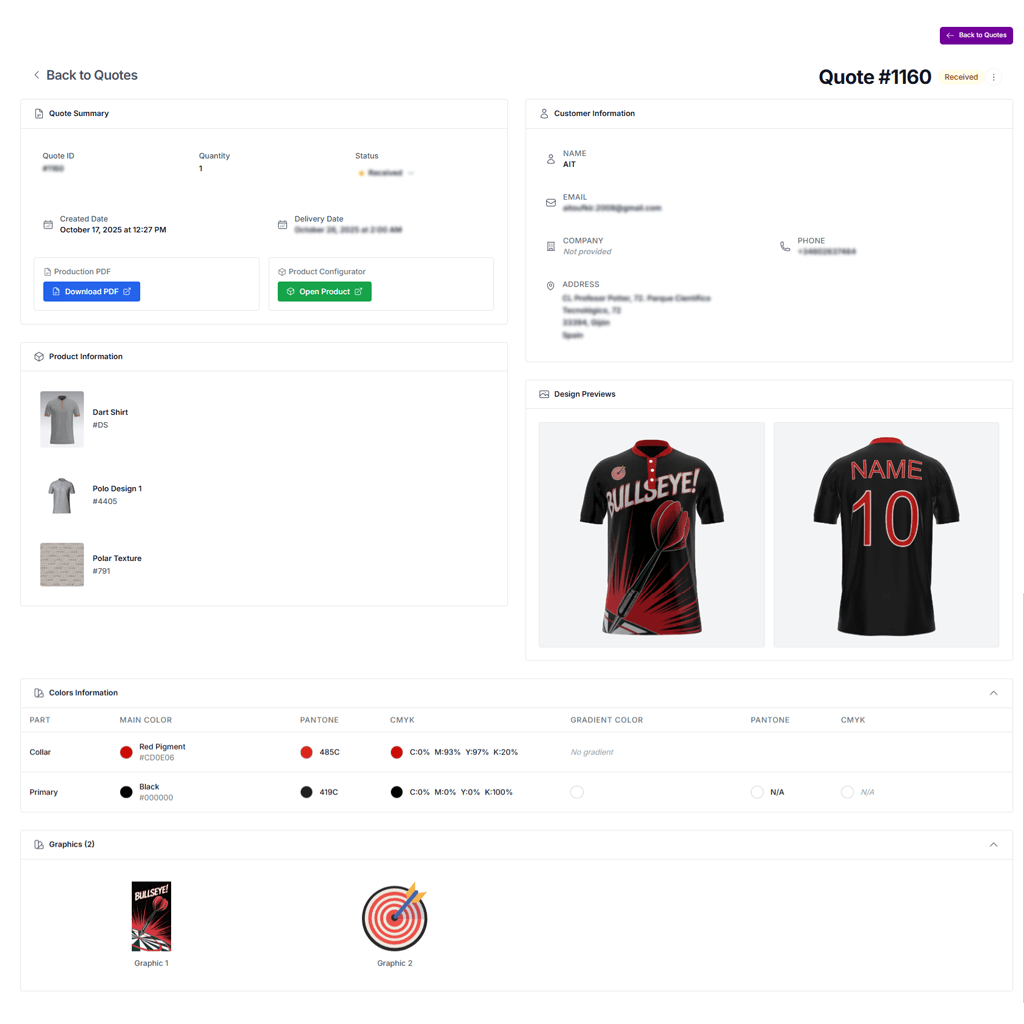
Once the customer finishes their dart shirt design, Konfiwear automatically generates a print-ready file — perfect for sublimation or direct-to-garment printing.
You can access it directly in your dashboard or via the quote email.
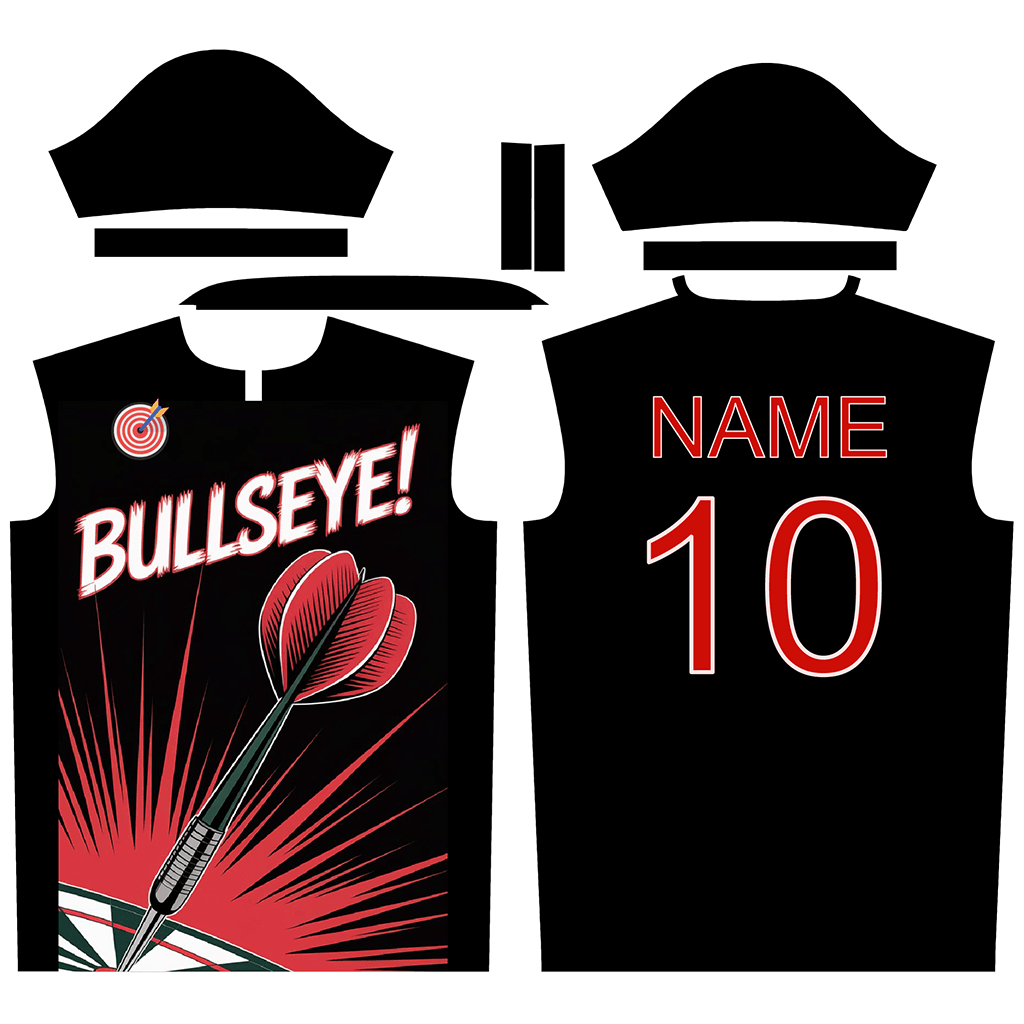
🎉 Congratulations — you’ve just designed your first custom dart shirt in 3D and received your production file, fully ready for printing and sewing.
Extra Tips for Dart Shirt Manufacturers
- Use AI Graphic Generator (Pro Plan) to create new pattern ideas or logo variations.
- Add fabric textures (polyester, stretch mesh) for realistic 3D visualization.
- Enable multi-language interface if your clients are from different regions.
- Integrate Shopify or WooCommerce to connect your 3D configurator to your online store.
Conclusion
Creating custom dart shirts has never been faster or easier.
With Konfiwear, dart shirt manufacturers can streamline their entire process — from 3D design and instant quoting to receiving print-ready production files.
Start today and bring your dart apparel business into the 3D era.
👉 Try Konfiwear or Book a Demo